Blog
NUMIQ: from Autónomo Pro to freelancer management on your computer or your server
Fifteen years ago I started Autónomo Pro for iPhone and iPad. Today I am building NUMIQ: invoices, expenses, banking and taxes, more visual and AI-assisted, as a local desktop app or on your own server.

End of the quarter. Issued invoices sit in one folder, receipts in a bag, bank transactions on another website and tax deadlines in your head. Reconciling it all takes an afternoon nobody wants to spend.
The problem is not new. Fifteen years ago I started one of the most enjoyable and ambitious development projects I have ever worked on: Autónomo Pro, an app for iPhone and iPad that set out to bring order to exactly this.
Today I am approaching it differently: NUMIQ is a complete management tool for freelancers and small businesses in Spain, more visual and with more options, that installs as a desktop app on your computer or runs entirely on your own server, without going through any app store.
Fifteen years after Autónomo Pro
Building Autónomo Pro was a very different experience. It required my full dedication, and it was without doubt a complex project in which I kept learning as mobile technology made its way into our lives. Every screen and every feature was built by hand for a specific device and operating system.
Today the approach changes in three ways. The web lets you install apps that feel native. Passkeys are replacing passwords. And AI can read a receipt or answer with a business's real figures. NUMIQ comes from that combination: the experience of then and the tools of now.
What NUMIQ solves
NUMIQ brings together in one app what a Spanish freelancer or small business usually spreads across several tools:
- Income: invoices, corrective invoices, pro formas and quotes with numbering series, custom invoice design, email sending, partial payments and payment reminders.
- Expenses: entered by hand or read by AI from a photo, PDF, Word or Excel file, with nothing recorded twice.
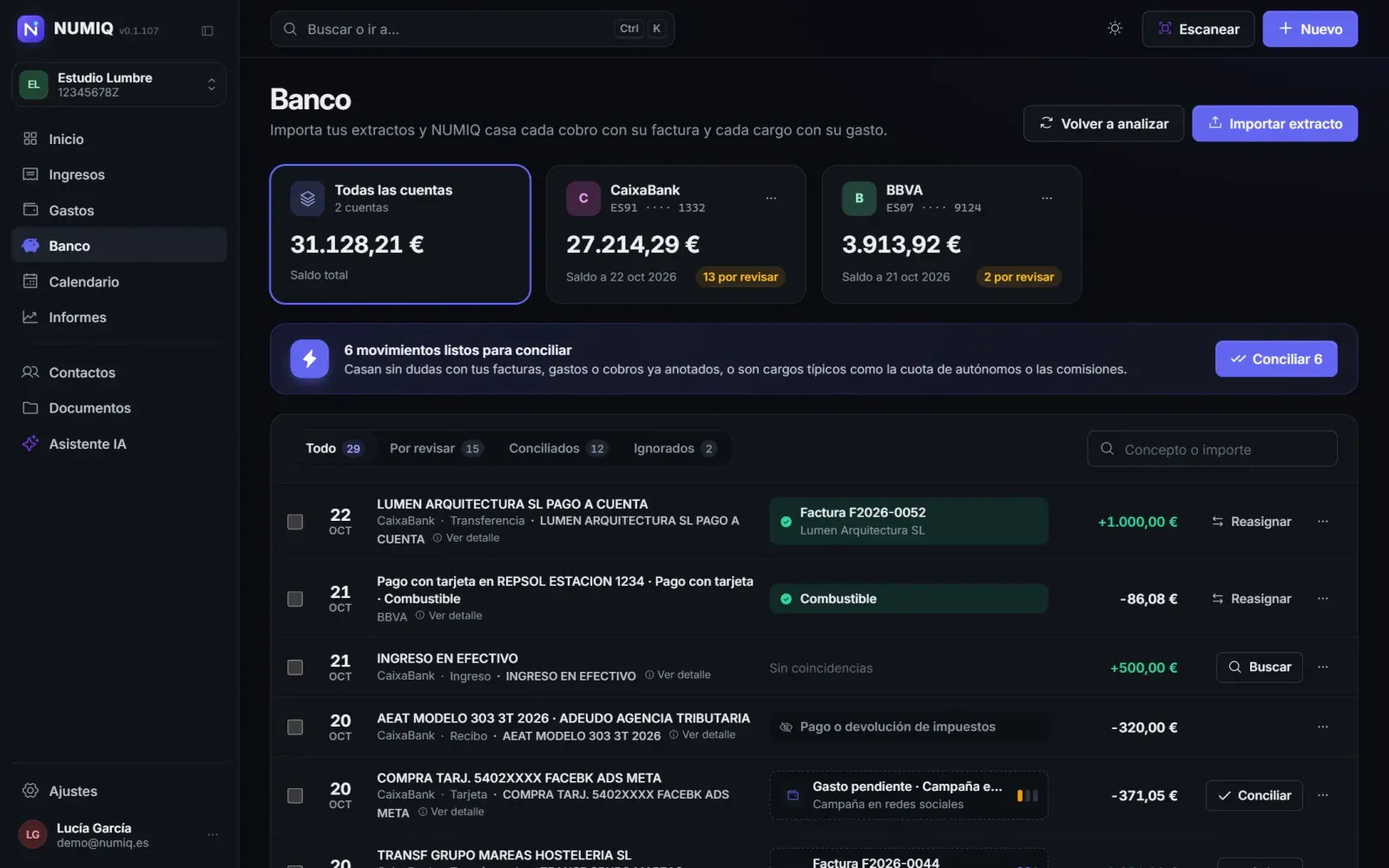
- Banking: statement imports and reconciliation of each payment with its invoice and each charge with its expense.
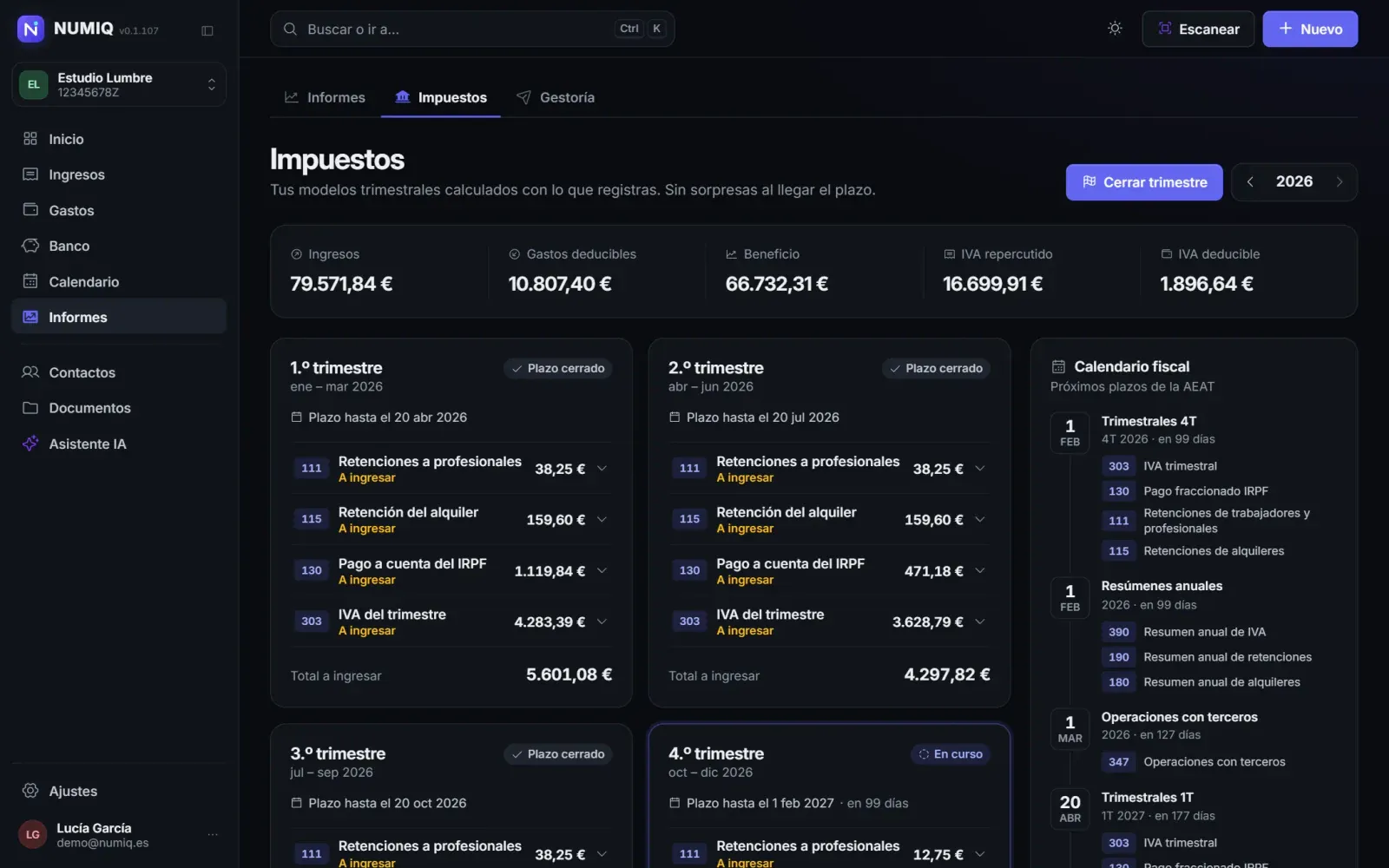
- Taxes: drafts of the quarterly and annual Spanish tax forms, with the boxes ready to copy into the tax agency's online office, and a tax calendar with every deadline.
- Accountant: a quarterly archive and a one-click bundle of all the paperwork for your accountant, shared through a secure link that expires after 30 days.
- Calendar, reports and team: deadlines, payments in and out in one calendar, reports by period, several companies per account and team roles.
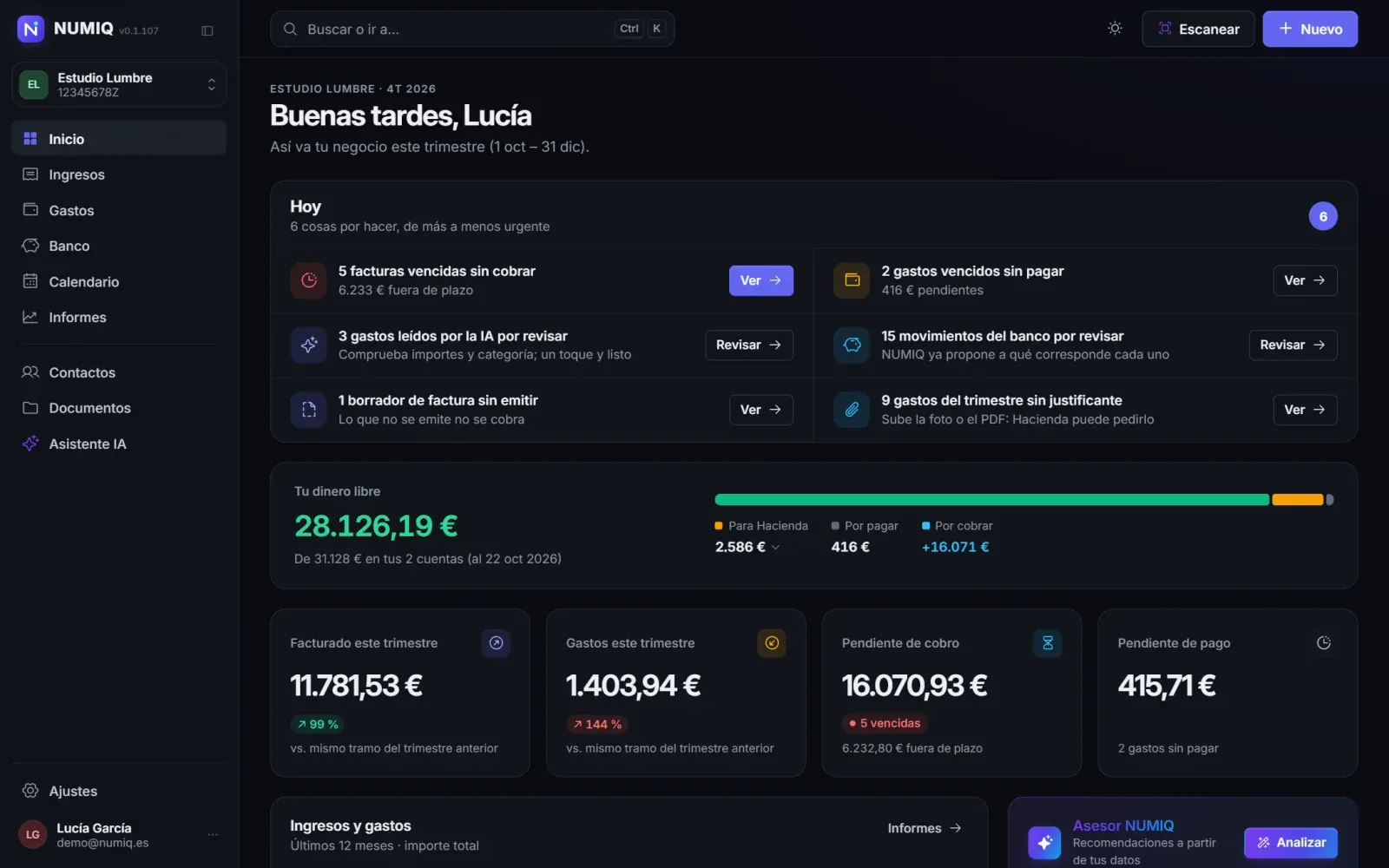
The home screen answers the question that matters: what needs doing today. Overdue invoices, expenses without receipts or bank transactions to review appear from most to least urgent, next to your free cash: the balance minus pending taxes and payments.
AI that works with your real data
NUMIQ's AI reads documents and fills in expenses, contacts or statements in unfamiliar formats. Its assistant answers with the business's real figures and can act on them, but every change arrives as a proposal listing the exact records, which the user confirms; it is audited and, where possible, can be undone in one click.
Each user brings their own OpenAI key, which is stored encrypted and never sent back to the browser. The app also records the real cost of every call, so you know what the AI costs per document or per answer. Without a key, NUMIQ works just the same, only without those features.
A web app on your server, with no stores
NUMIQ is a progressive web app (PWA). As the MDN documentation explains, a PWA runs on multiple platforms from a single codebase and, like a native app, can be installed on the device and launched directly from the operating system. No stores, no waiting for review to ship a fix, and the same app on your phone and your computer.
And it is installed on your own server, with your database and your files. The repository's documentation explains how to set it up, for example on a server with Plesk, and how to clone a complete installation to another server. Your invoices, expenses and client data never pass through someone else's platform.
The code and server installation instructions are in the github.com/crazyramirez/NUMIQ repository, with screenshots of every screen.
Now also a desktop app, with no server
NUMIQ can now be installed like any other application on Windows, macOS and Linux. It is the same code as the web version, not a cut-down edition: the installer brings its own NUMIQ server and database, which only listen inside the computer. Invoices, expenses, statements and documents never leave the machine, except what you send yourself, such as emails or AI queries with your own key.
Download it free for Windows, macOS or Linux from the NUMIQ releases page on GitHub: a .exe installer for Windows 10 and 11, a .dmg for macOS 15 or later (Apple Silicon and Intel) and .deb and .rpm packages for Linux.
What you gain with the desktop app:
- Install and go: no hosting, domain, database or maintenance.
- Data only on your computer: nobody else has a copy.
- Offline for daily work: invoicing, logging expenses, reconciling the bank, preparing tax forms or running reports needs no internet; AI, email and maps do.
And the logical restrictions of not being online, which were only possible with a server: it runs on one computer, with no team or accountant access inside the app; there is no online page for clients to view or pay an invoice, which reaches them by email as a PDF; you sign in with a password, without passkeys; automatic tasks run while the app is open; and backups are up to you. If you ever need to, the clone option in Settings → Backup moves all your data from desktop to web or the other way round.
Security and privacy by design
- Passkeys (web version): besides a password, you can sign in with a passkey. According to Google, they are a safer alternative to passwords, using the device's fingerprint, face or PIN, and they protect against phishing.
- Locking enforced by the server: the app locks with that passkey and, while the session is locked, the API returns no data.
- Real roles: the accountant gets read-only access and the server prevents them from creating, changing or deleting invoices, expenses or company data.
- Your data leaves with you: a company export in open formats (Excel, JSON and PDF) and account deletion with all its data.
- Clear limits: NUMIQ prepares the tax forms, but users file them themselves on the tax agency's online office with their own digital ID. VeriFactu and the company's digital certificate are switched off for now.
Why it makes sense on your own server
It is the same idea that runs through our series on bespoke software: when a process is critical, the tool should adapt to the way you work and your data should sit where you decide. Few things are as critical as a business's invoicing and taxes.
Autónomo Pro was how I learnt to build for mobile. NUMIQ is what I believe a tool like this should be today: visual, complete, with AI that helps without deciding for you, and in your own digital home, whether that is your computer or your server.
If your business needs a management tool built around it or installed on its own server, tell us how you work. At Viseni, we develop bespoke software built around your workflow, with your data under your control.