
Blog
Bespoke software: from the subscription you put up with to the tool that fits your workflow
For years we adapted to whatever subscriptions offered. Now we build tools for our critical processes. Part one: DEV Backup Studio, backups designed around the way we actually work.
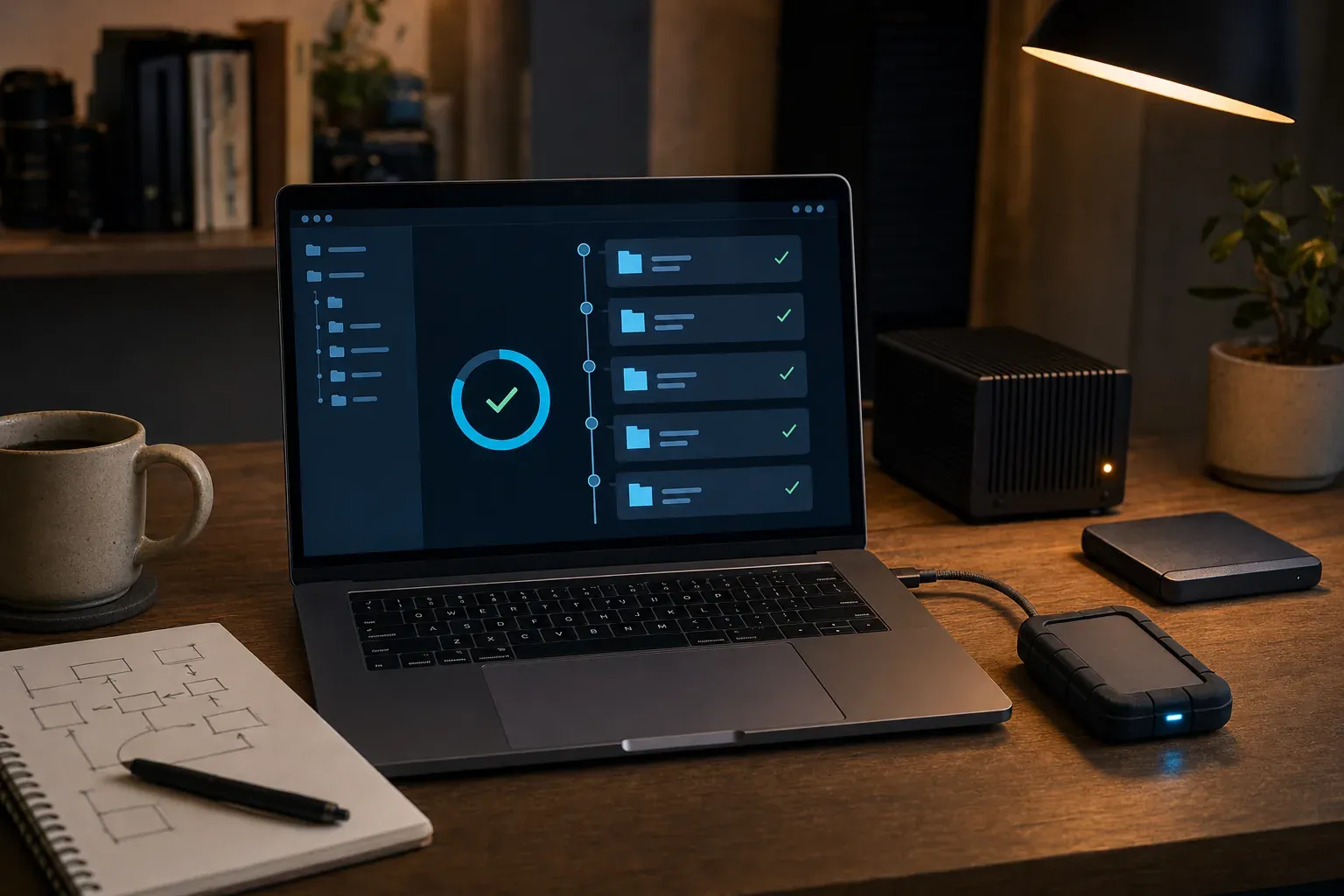
You rename a project folder, plug in the external drive and the backup program decides everything is new: it copies gigabytes that were already there. Another day you delete something by mistake and find the backup deleted it too. And every year the renewal of a subscription arrives, full of features you never use.
For a long time that was simply how it worked: pick the least bad program and bend your way of working to its limits, its price and its terms.
When a process is critical, the tool should adapt to your workflow, not the other way round. This is the first of three articles about the in-house tools we have built for processes that cannot fail: backups, disk space and a personal cloud.
Subscribing was convenient; depending on it, less so
Subscriptions solved a real problem: pay little up front and never worry about installing or maintaining anything. The price of that convenience is that someone else decides the product, the rules and the bill.
There is no need to look for extreme cases. Atlassian updated the list price of its cloud subscriptions on 13 October 2026, and the change applies to new purchases and renewals alike. Xero states on its pricing page that it reserves the right to change prices at any time. That is how the model normally works, not an anomaly.
Data follows a similar pattern. The Data Backup Options guide from US-CERT, published by the US agency CISA, warns that with the cloud you may become locked into one provider and that users surrender most of their control over their own data.
Not everything should be replaced. Some platforms with years of development behind them are still the best option, as we discussed in SaaS is dead "as we knew it". The useful question is a different one: which processes matter enough to deserve a tool designed for them?
Why start with backups
A backup is invisible until the day you need it. Then only two things matter: that it exists and that it works.
The same guide recommends the 3-2-1 rule: three copies of every important file, on two different types of media, with one of them kept off site. It also points to a less obvious risk: backups that are updated by overwriting the previous copy can silently spread corruption or malware from the original.
Our case had its own quirks too. Project folders with thousands of files that get regenerated (node_modules, Python environments, build output), projects that are renamed and reorganised, and external drives that do not always mount under the same letter. No generic program handled all of it without workarounds.
DEV Backup Studio, designed step by step
DEV Backup Studio is the tool we built to solve this, and we have published it on GitHub. It is a desktop app for Windows, macOS and Linux, available in seven languages, that synchronises project folders to an external drive or a network folder. Version 2.3.1 was released on 19 November 2026.
Download it free for Windows, macOS or Linux from the DEV Backup Studio releases page on GitHub: a .exe installer for Windows 10/11, a .dmg for macOS (Apple Silicon) and an .AppImage for Linux. The code and documentation are in the github.com/crazyramirez/dev-backup-studio repository.
Every feature answers a specific problem from our day-to-day work:
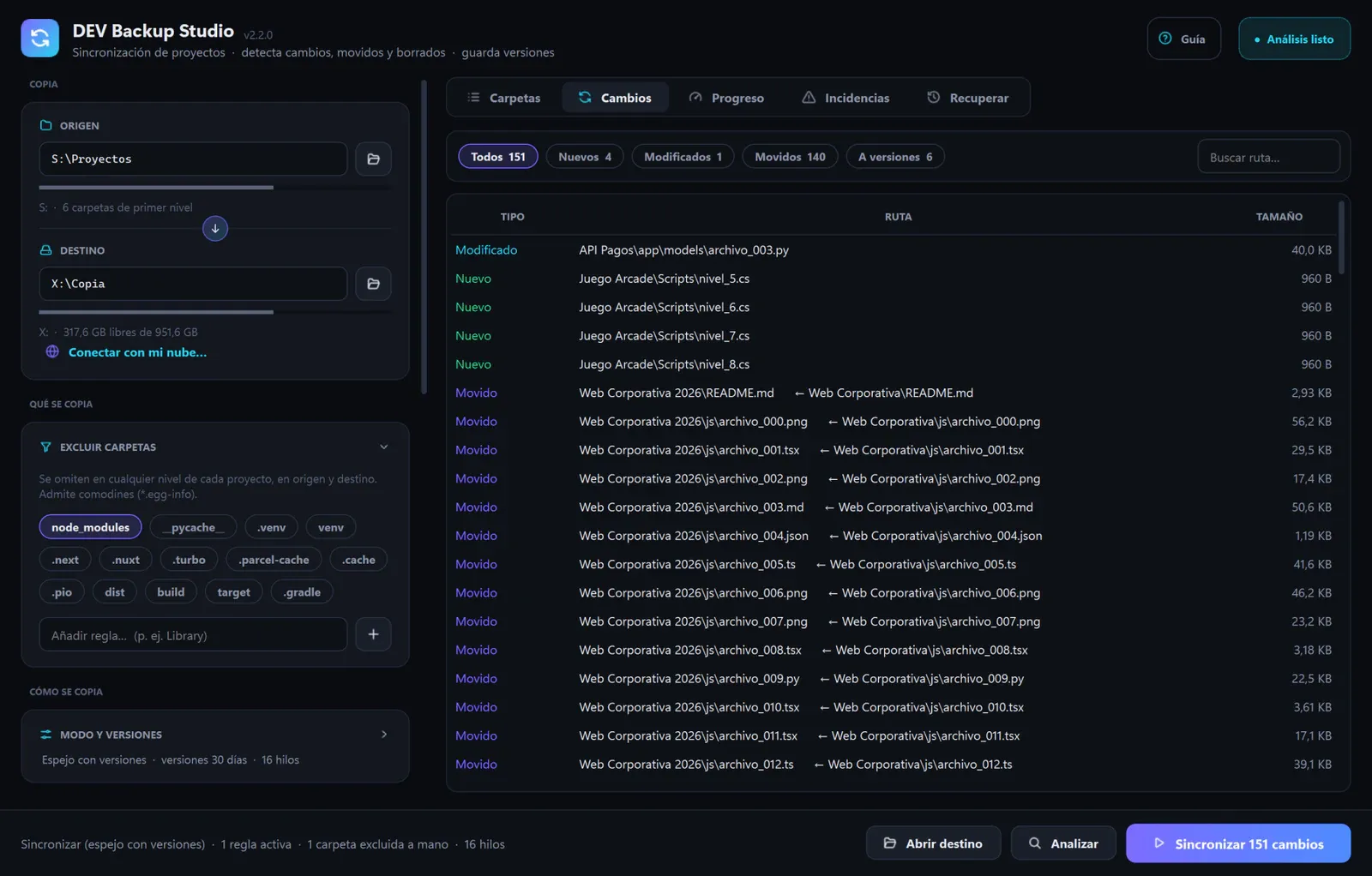
- Mirror with versions. The destination matches the source, but nothing you change or delete is lost: the previous version is set aside by date and kept for 7, 30 or 60 days. They are ordinary files you can open as they are.
- Moves and renames. A renamed folder is moved within the drive in seconds instead of being copied again.
- Skip what gets regenerated.
node_modules,.venv,distand similar folders are excluded by name at any level. - A brake on mass deletions. If a sync is about to set aside a large part of the backup, for instance because the source appears empty, it stops and asks.
- It asks when you plug the drive in. It recognises the drive even if the system gives it a different letter, and shows what has changed before copying anything.
Check instead of assuming
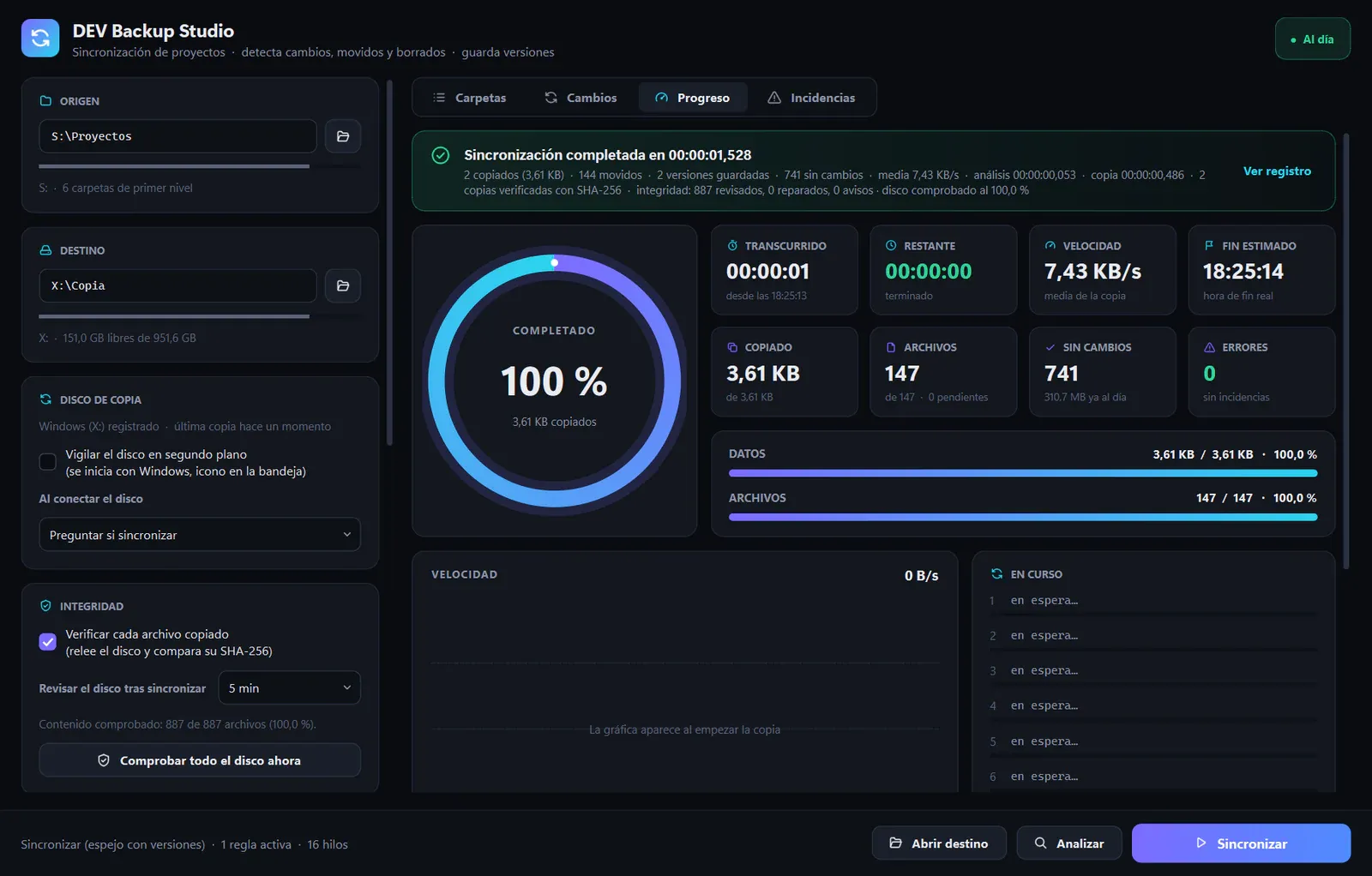
A backup nobody has checked is a hope, not a guarantee. That is why the app rereads every copied file from the drive, bypassing the system cache, and compares its SHA-256 fingerprint with the original's. If they do not match, it copies the file again.
After each sync it also reviews a batch of files that were already copied, for as long as you choose (five minutes by default), to catch silent corruption. If the damaged file is on the destination, it repairs it from the original; if the original is damaged, it warns you and leaves the good copy alone.
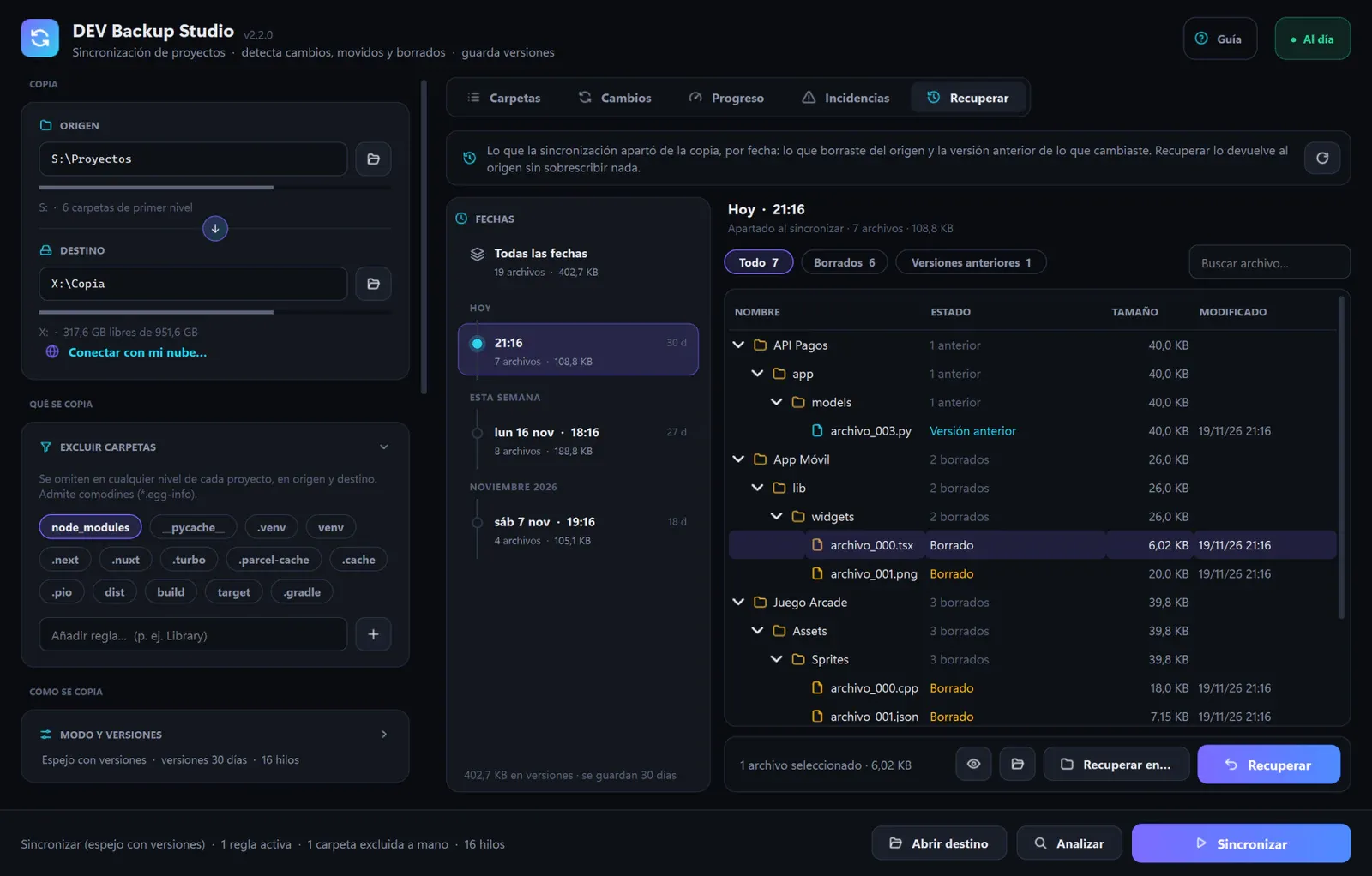
Restoring has to be simple as well. The Restore tab sorts everything that was set aside by date, like a time machine, with search and filters. One click puts files or folders back where they were, and it never overwrites: if a different file with the same name already exists, the restored version is saved alongside it.
What changes when the tool is yours
- Your data stays on your drive and your network. There is no account to create and no third-party server in between.
- Your workflow sets the pace. If something gets in the way, it changes in the next version instead of waiting for a vendor to prioritise it.
- No subscription. No renewals and no plans with locked features.
- The responsibility is yours too. Maintaining it, testing it and knowing its limits. Every release runs a full self-test on all three systems before it is published, and the documentation makes clear that a backup on a single drive does not protect against fire or theft: the 3-2-1 rule still applies.
How to tell whether a process deserves its own tool
Not everything justifies bespoke development. We suggest asking these questions before you start:
- Is it critical, or does it happen every day? If a failure is expensive or the task eats time daily, there is room to improve it.
- Does it force you into workarounds? Exporting, renaming by hand or checking everything twice are signs the tool does not fit.
- Does it handle sensitive data? The more delicate the information, the more it pays to know where it lives and who can reach it.
- Can you describe the exact workflow on one page? If not, it is worth sorting that out before writing any code.
- Who will maintain it? An in-house tool with no owner ends up as one more problem.
If most answers are yes, a first version that solves only the core of the problem is usually enough to find out. In the next instalments we will look at the other two pieces of this workflow: keeping disk space under control and Personal Cloud Storage, the personal cloud that DEV Backup Studio already connects to.
If your company has a critical process tied to a tool that does not fit, tell us how you work. At Viseni, we design and develop bespoke software built around your workflow, with your data under your control.