Blog
Who is on your network: the tool we built to see it and protect it
One more instalment on bespoke software: NET Sniffer, the free app that identifies every device on your network, checks its security without attacking anything and alerts you the moment something unknown connects.

You open your router's admin page to change a setting and find a list of nineteen connected devices. You recognise the laptop and the phones, maybe the TV. The rest are odd names, IP addresses and codes that mean nothing. Is that one the smart plug, or something that should not be there?
In a home, an office or a studio, the network fills up with devices almost without anyone noticing: cameras, speakers, printers, TVs, consoles and boards like the ones we discussed in our post on ESP32 IoT devices. Each one is another door, and most are never checked again after they are installed.
You cannot protect what you cannot see: the first step towards a secure network is knowing what is connected and what each device exposes. This instalment joins our series on the tools we have built in-house, after backups, disk space and the personal cloud.
More devices, less visibility
The US cybersecurity agency CISA, in its guide to home network security, points out that many products ship with overly permissive factory settings and default administrator passwords that may be published online or printed on the device itself. It recommends changing them, keeping everything updated and using WPA3 encryption on the Wi-Fi.
In its training module on securing your router, CISA adds two practical tips: turn on a guest network for anyone who does not connect routinely, and disable UPnP after adding your devices, because attackers can use it to spread malware.
Good advice, but it assumes something almost nobody has: a clear view of which devices are on the network and how each one is configured.
NET Sniffer: see your network as it really is
NET Sniffer is the app we built to get that view. It shows every device on your Wi-Fi or local network, audits its security, tests your internet speed and alerts you as soon as something changes. It runs on Windows, macOS and Linux, including a Raspberry Pi left on around the clock, with light and dark themes and seven languages. Version 1.0.0 was released on 20 November 2026.
Download it free for Windows, macOS or Linux from the NET Sniffer releases page on GitHub: a .exe installer for Windows 10/11, a .dmg for macOS (Apple Silicon and Intel) and a .deb package for Linux (x64 and ARM64). Full details and the Raspberry Pi install are in the github.com/crazyramirez/NET-Sniffer repository.
It is designed for networks you own or administer. It only uses standard discovery protocols and connection checks: it does not exploit flaws, does not guess passwords, does not intercept traffic and does not impersonate other devices on the network.
Knowing who is who
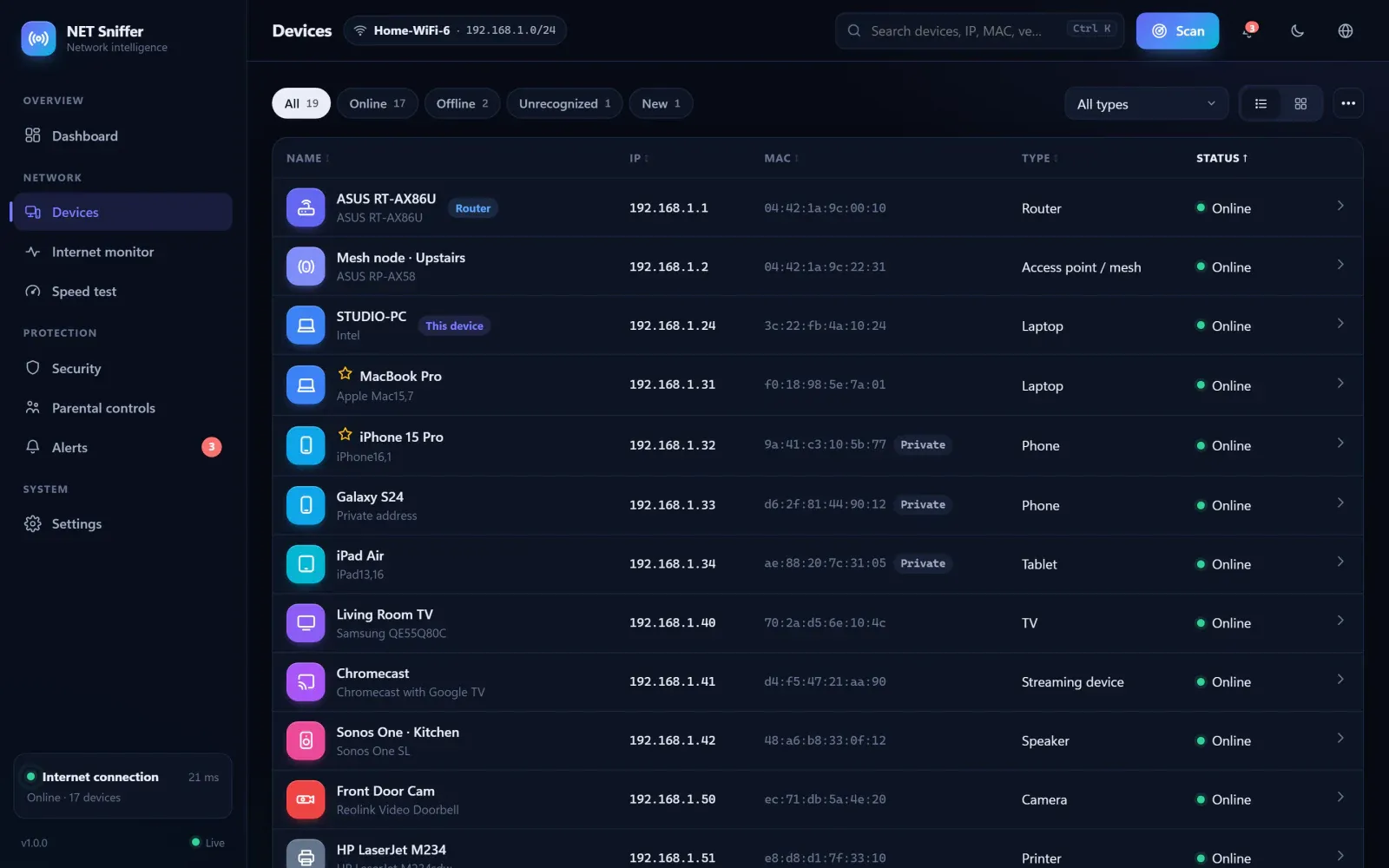
Every scan identifies devices in as much detail as is available, with no administrator rights needed:
- Identity: IP and MAC address, manufacturer from the IEEE registry, model, hostname and device type (router, phone, laptop, TV, camera, printer, console or IoT).
- History: first and last seen, when it was online, IP changes and a flag for private MAC addresses, the ones phones rotate to avoid being tracked.
- Ports and services: a quick, common or full inventory of each device's open ports, with a risk level.
- Utilities: ping, Wake-on-LAN, links to the device's web admin page, notes, favourites and CSV export.
Auditing without attacking
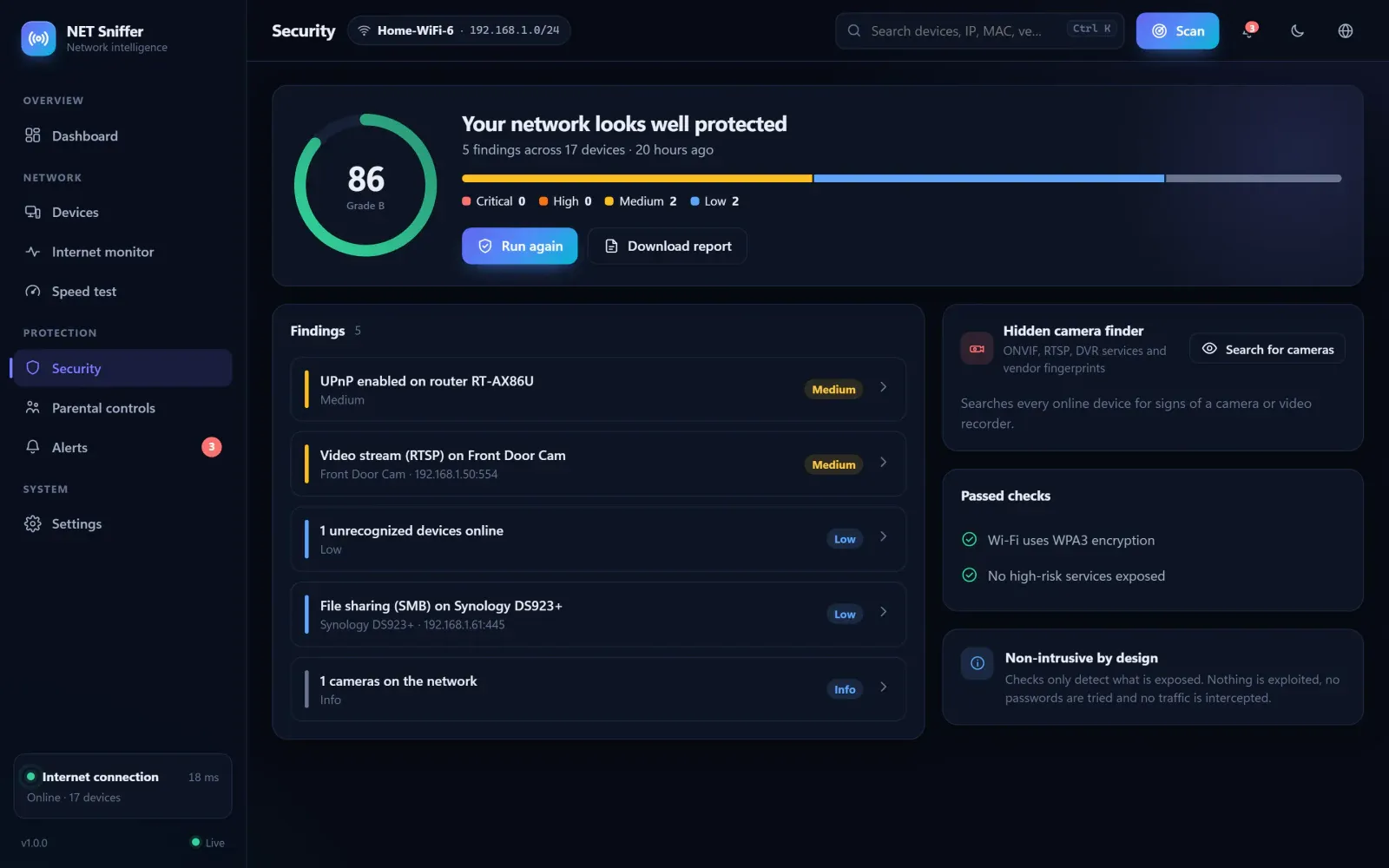
The security audit gives the network a score and a grade, and checks exactly what CISA recommends and a bit more: Wi-Fi encryption, whether UPnP is enabled on the router, whether its admin page is served without HTTPS and whether risky services are exposed, such as Telnet, open databases, the Docker API, ADB, VNC or RTSP video streams. Every finding comes with steps to fix it, and the audit exports as an HTML report.
It also includes a camera finder that looks for devices on the network with services typical of cameras or video recorders. Handy for knowing which cameras are in a home or an office.
Watching in the background
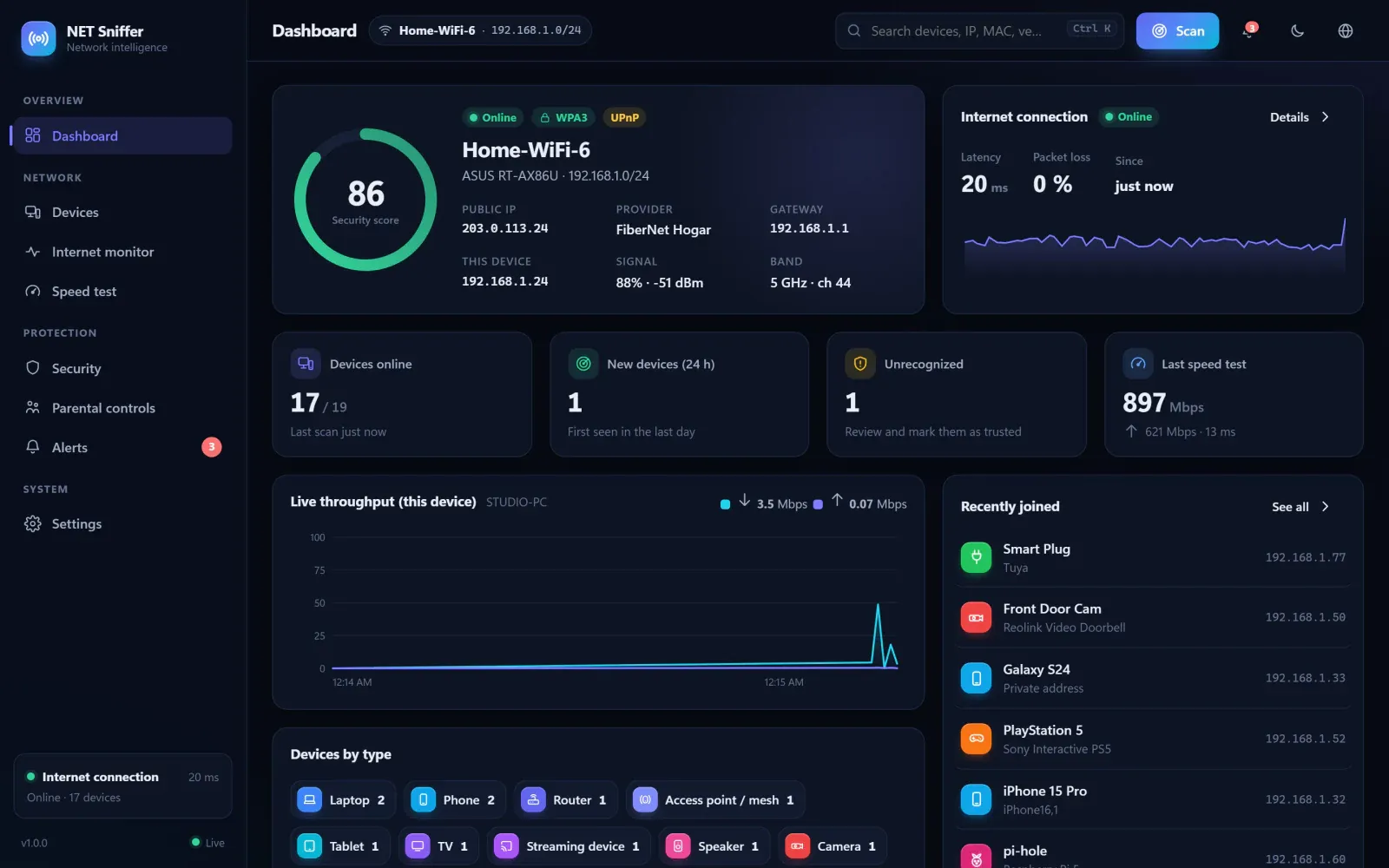
When you close the window, NET Sniffer keeps working from the system tray. Trusted devices are marked as such and, if a new or unrecognised one connects, an alert fires within 90 seconds. Each notification can be switched on or off separately: devices joining or leaving, favourites, IP changes, internet outages or security issues, with quiet hours and push alerts to your phone via ntfy, Telegram or webhooks.
It also monitors your internet connection, with latency, packet loss, an outage log and uptime percentage, and measures download and upload speed. And it can pause internet access for a device or on a schedule, for example at bedtime, using the router's own official interface where supported.
Privacy and clear limits
Everything stays on the machine where it runs. The only external connections are to Cloudflare for the speed test and, optionally, to look up your public IP; to GitHub to check for updates; and to whichever alert services you set up. Router credentials are stored encrypted locally.
To check it from outside your home, the documentation itself recommends a VPN such as WireGuard or Tailscale rather than opening ports on the router, the same idea we applied to the personal cloud. It is also worth knowing that the installers are not signed yet, so Windows and macOS will warn you the first time.
How to start tidying up your network
We suggest this order for a first review, at home or at the office:
- Scan the network and name every device you recognise.
- Mark your own devices as trusted; anything left unidentified deserves a closer look.
- Run the audit and fix the most serious findings first.
- Change the default passwords on the router and on any device that has them.
- Turn on the guest network for anyone who does not connect routinely, if your router supports it.
- Leave monitoring on so any new device alerts you.
If your company needs a tool this specific for a process of its own, tell us what you want to keep an eye on. At Viseni, we develop bespoke software built around your workflow, with your data under your control.