Blog
ESP32 and Arduino: custom IoT devices that fit in your hand
An inexpensive chip with Wi-Fi, Bluetooth and a touchscreen can now be a product in its own right: control panels, displays, NFC or QR access points and camera sensors designed for each space and event.
Next to the keyboard sits a 3.5-inch touchscreen. It shows the processor temperature, the memory in use and the song playing on the computer. One tap pauses the music; another locks the PC. There is no cloud service and no account to create: the device talks to the computer over the local network.
Behind it there is no tablet, just an ESP32 microcontroller with a custom interface. A few years ago, something like this meant manufacturing your own hardware. Today it takes low-cost boards, open libraries and, increasingly, AI agents that help write the firmware.
A microcontroller with a screen can now be a product: a panel, a display, an access reader or a sensor designed for a specific space. For brands, venues and event organisers, that opens up a new category of physical experiences.
Arduino opened the door; ESP32 turned it into a product
Arduino made popular the idea that anyone could program a board to read a sensor or switch on a light. ESP32, Espressif's family of chips, added what was missing to leave the workshop: built-in Wi-Fi and Bluetooth, memory for a graphical interface and a huge ecosystem. And the two worlds get along: many ESP32 projects are programmed with the Arduino framework.
The latest sign came on 20 October 2026, when Espressif unveiled ESP-Mosaico, a modular platform for building hardware with the help of AI agents. Its central unit has a 480 × 480 OLED touchscreen and a battery, and runs on the new ESP32-S31: two RISC-V cores at up to 320 MHz, Wi-Fi 6, Bluetooth 5.4 and camera input. Camera, sensor, button and lighting modules are recognised automatically, and several units can detect their position to work as a single screen.
The announcement notes that GitHub holds more than 200,000 ESP32 and ESP8266 projects, and adds a caveat we share: AI-generated code still needs a solid engineering foundation to run reliably on real hardware.
A project of our own: a Control Deck for a Windows PC
The PC Control Deck is one of our own developments, published on GitHub. It uses a Guition JC3248W535 board: an ESP32-S3 with a 3.5-inch capacitive IPS touchscreen in portrait (320 × 480) and an optional LiPo battery. A small Windows app sends it the computer's data.
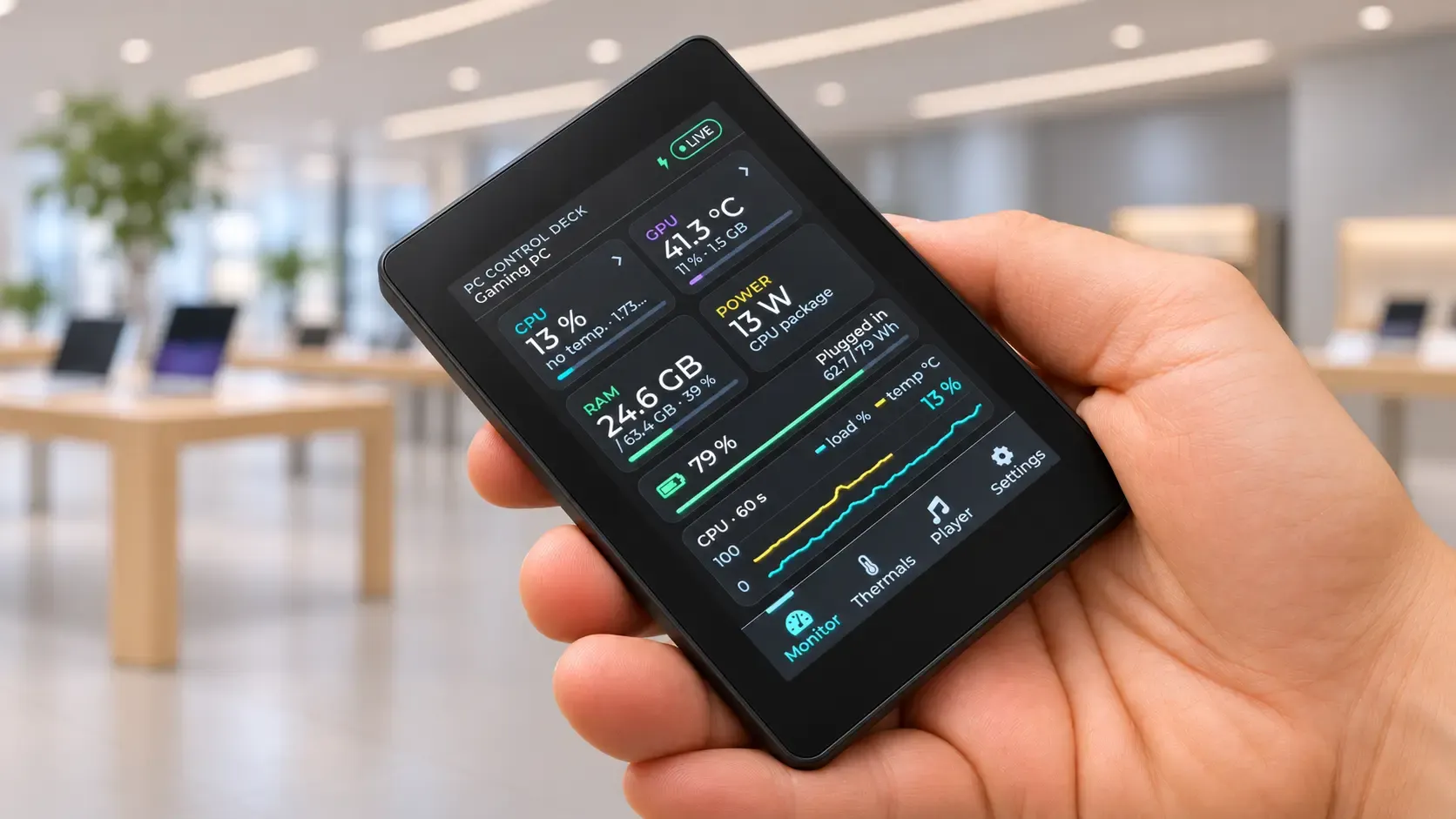
Here is what it does:
- Live telemetry: CPU and GPU load and temperature, RAM, power draw and battery, with charts covering the last 60 seconds.
- Media player: album art, a draggable progress bar, play/pause, track skipping and volume.
- Quick actions: lock, restart or shut down the computer, with confirmation. Restart and shutdown are off by default.
- Thermal alerts: if the CPU or GPU runs hot, a warning appears and the screen wakes up.
The decisions that matter most are invisible. Everything works on the local network only, without reaching the internet. Pairing uses a six-digit code valid for two minutes, and the device can only request a closed list of actions: there is no way to "run any command". When a value is missing, the screen shows "--", never a misleading zero.
LVGL: smooth interfaces in very little memory
The Control Deck interface is built with LVGL, a free C graphics library with more than 30 widgets and animations. According to its documentation, it can run with 64 kB of flash and 16 kB of RAM, and its MIT licence allows commercial use.
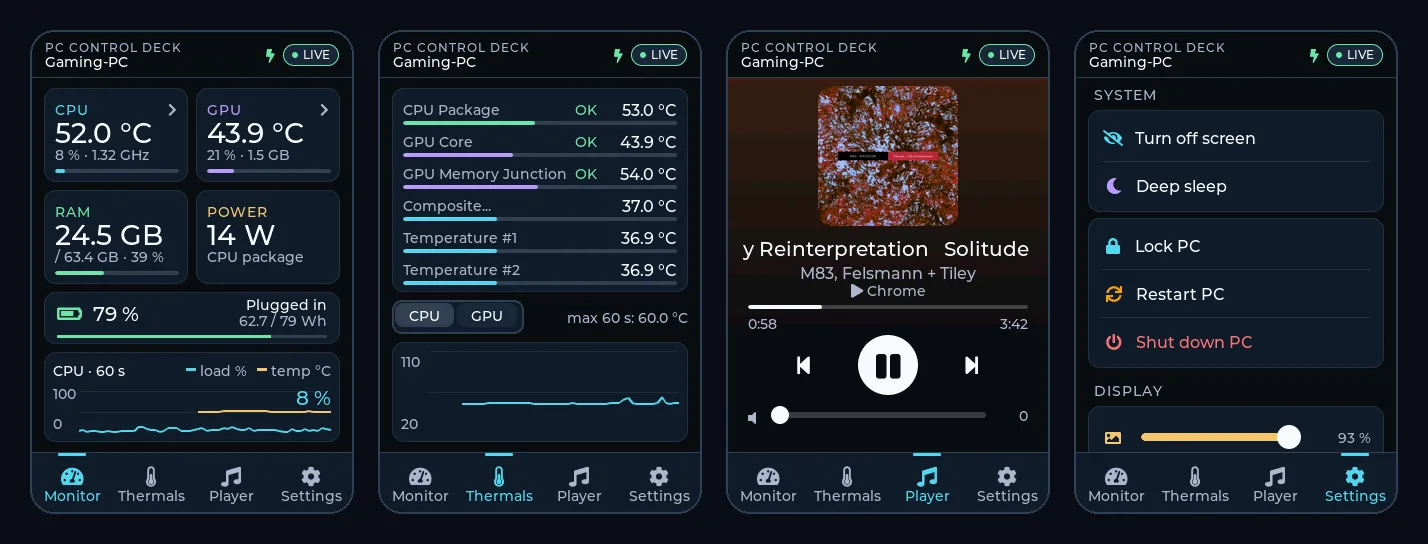
This changes how development works. The screen is designed like an app: visual hierarchy, states, transitions and its own typography. The difference lies in the budget: every font, image or animation takes up memory, so you have to decide carefully what deserves a place. In return, the device starts in seconds, has no desktop operating system to maintain and uses very little power.
Far more than control panels
The same approach works for very different devices:
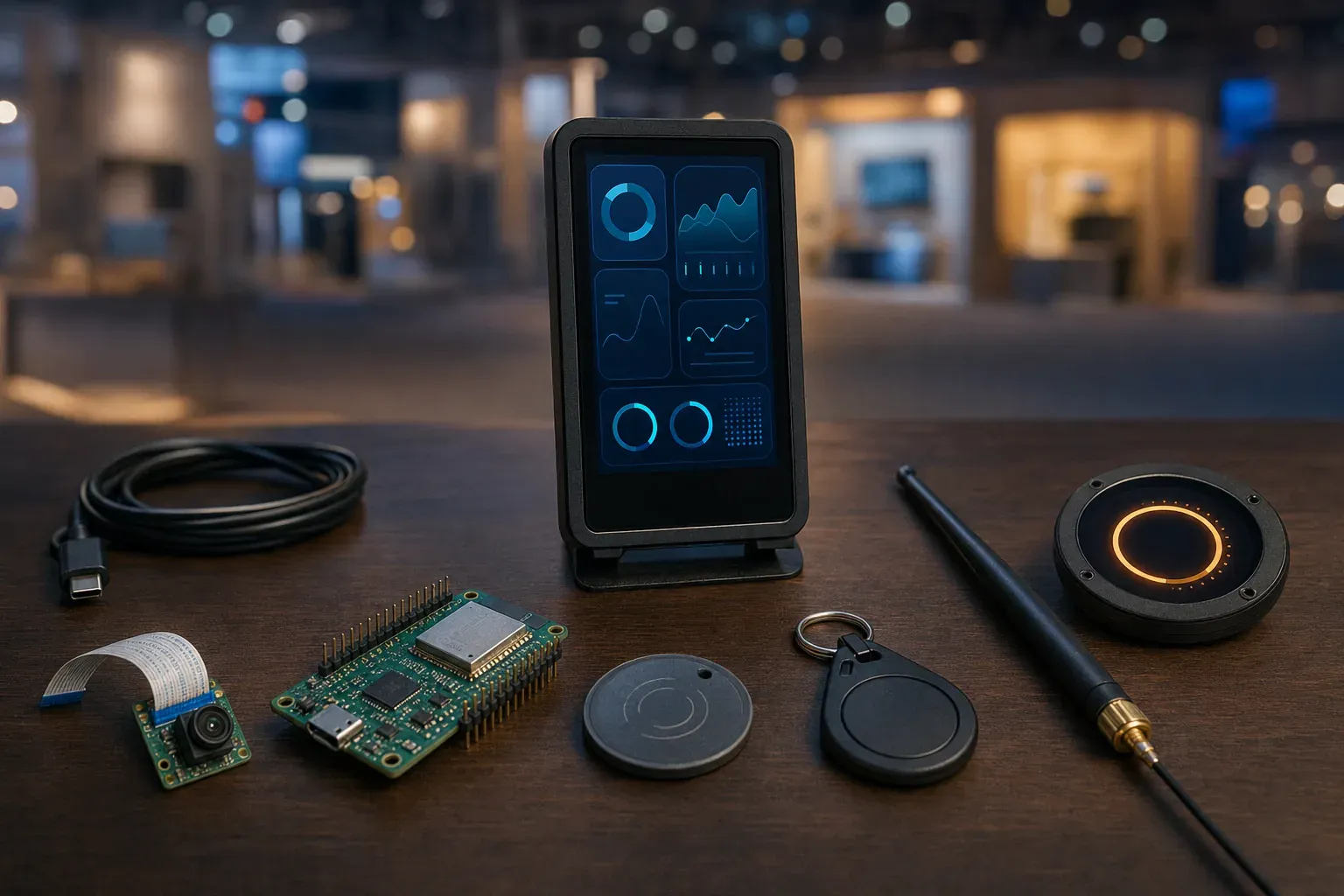
- Home automation with Home Assistant. ESPHome turns an ESP32 board into sensors, switches or displays that appear automatically in Home Assistant, on the local network, with no cloud accounts and with wireless updates.
- Information displays. Picture a restaurant with a small screen on every table: today's offer and upcoming events, updated from a web dashboard.
- NFC or QR access control. A reader at the door of a session room validates wristbands, cards or tickets and shows whether the visitor can go in.
- Camera vision. The ESP32-CAM made low-cost cameras popular. Today, on boards such as the ESP32-S3 or ESP32-P4, ESP-WHO provides examples of face detection and recognition, pedestrian detection and QR code reading that run on the chip itself.
- Long-range sensors with LoRa. Where Wi-Fi does not reach, a LoRa module sends small amounts of data over long distances on very little power: temperature, humidity or footfall across large venues.
- Interactive charts. Energy use, occupancy or votes in real time, with detail on tap.
With cameras, two things should be kept apart: detecting that a face is present is not the same as identifying whose it is. The latter involves biometric data and calls for a legal review first, as we explained when looking at what a brand should disclose when it uses AI in front of the public.
At fairs and conferences: small hardware, big experience
On a stand, a physical device has something a big screen lacks: people can touch it, move it and hand it round. A few ideas we would propose: wireless buttons for a group quiz, screens on every conference table for voting or asking the speaker questions, NFC readers that add points in a trail between stands, or anonymous counters that warn when a room is full.
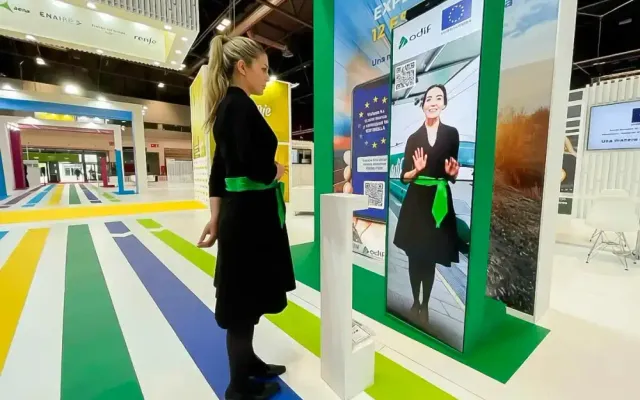
Designing the device, not just the app, is already part of our work. For MITMA, Spain's transport ministry, we created a touchless virtual host: a large vertical screen that answers each question with video and is controlled by moving a hand in mid-air, thanks to a Leap Motion sensor.
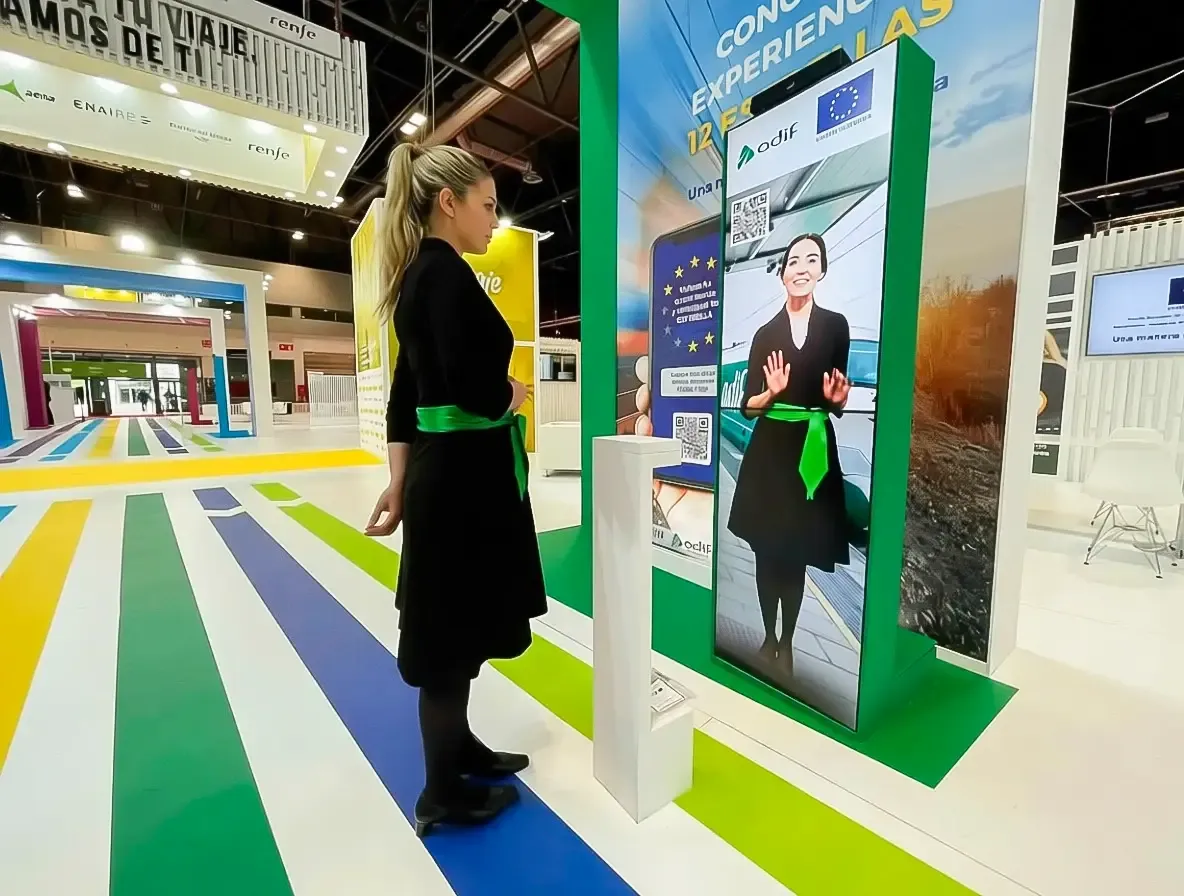
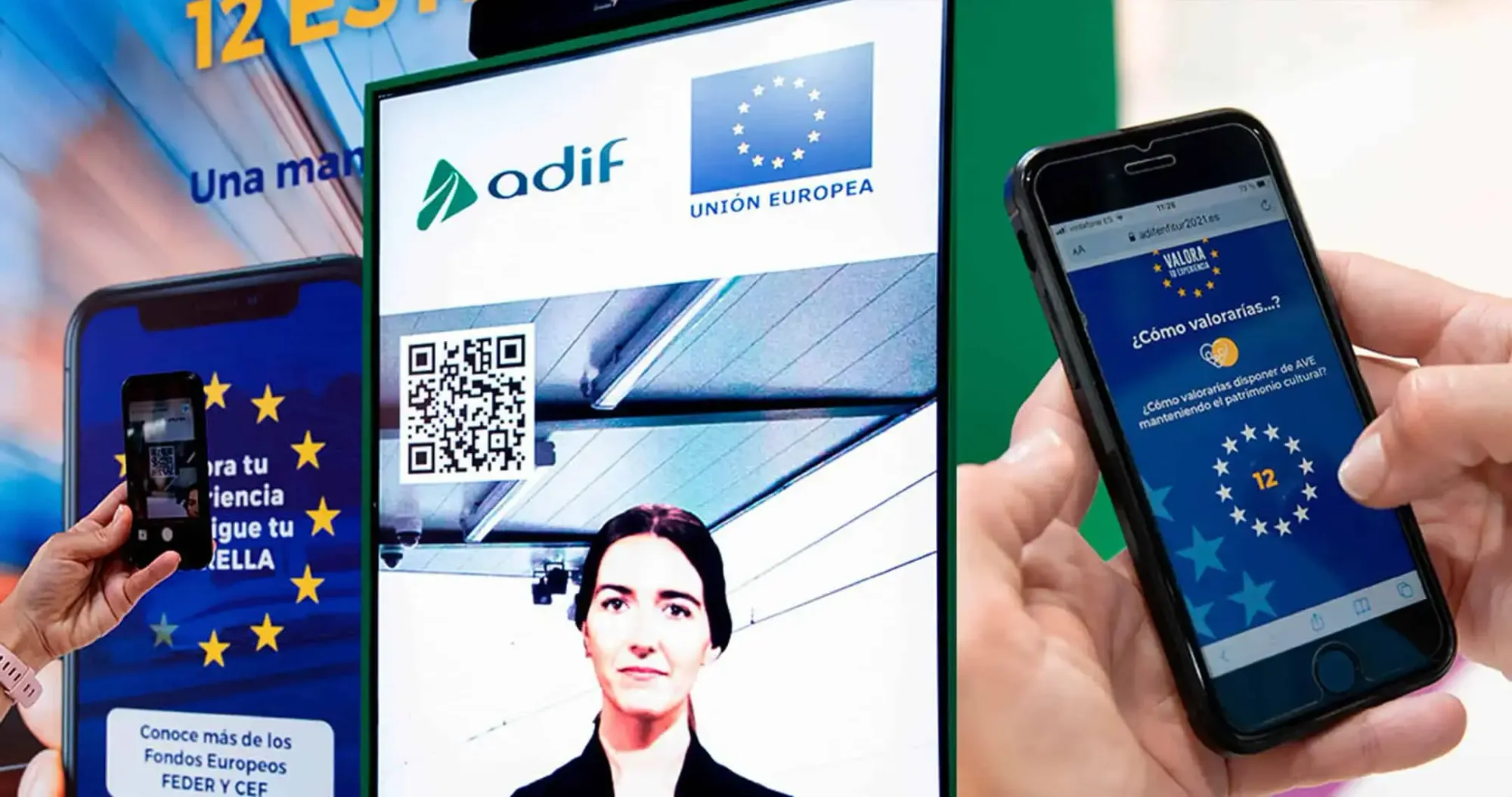
In the MITMA interactive quiz, visitors collect stars and claim their prize by scanning a QR code. A reader with a screen by the counter would be its natural next step: visitors hold up the code and the prize is confirmed on the spot.
How to approach a custom device
A device like this is validated before anything is manufactured. We suggest this order:
- One clear job: what it does, for whom and where.
- The right board: screen, camera, battery and connectivity (Wi-Fi, Bluetooth or LoRa) to suit the use.
- A working prototype on a development board, before designing an enclosure or stand.
- The interface in LVGL: clear states, large text and one main action per screen.
- Security from day one: local network, pairing, a closed list of actions and no passwords in the logs.
- Testing on site: coverage, lighting, battery life and wireless updates.
AI agents greatly shorten the path from prototype to first firmware. Judgement is still human: deciding what the device does, what it does not do and what happens when something fails.
If you have a panel, an information display, an access point or a hardware-based activity in mind for your next fair or conference, tell us what you want to solve. At Viseni, we work with ESP32, LVGL and the latest platforms to turn that idea into a reliable device designed for its space.