Blog
Placing a render in the real photo: the project on site, no tricks
A new building inside a photograph of its site is more convincing than any standalone view, but only if camera, light and scale line up. This is how we approach it with D5 Render and Unreal Engine.
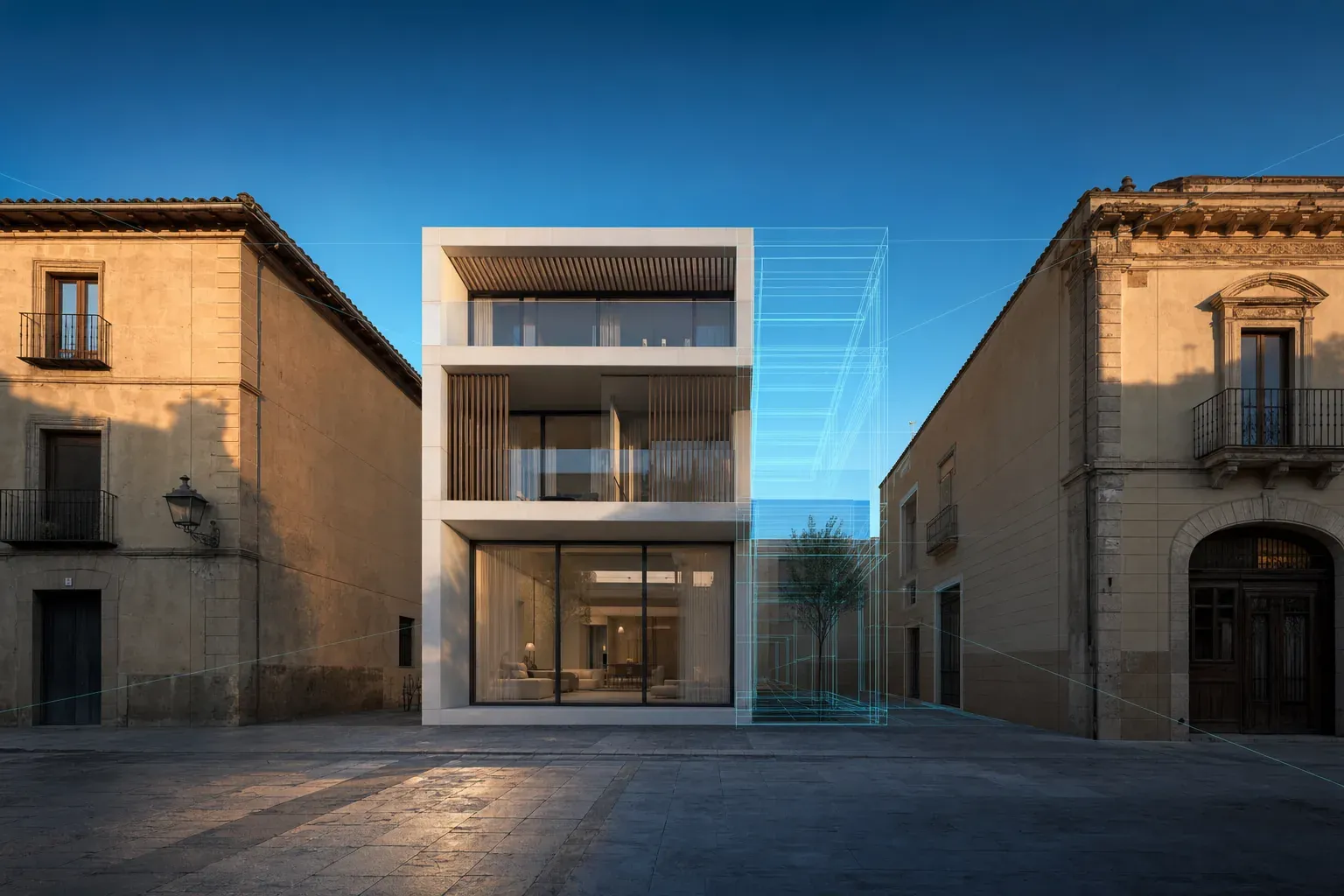
An architect presents an apartment building squeezed between two party walls in a historic town centre. The rendered views are flawless, but the council asks a different question: what will it look like from the square, next to what is already there? Someone drops the render onto a street photo and the trick gives itself away: the building seems to float, the shadows fall the wrong way and the windows do not line up with the neighbours'.
A badly resolved photomontage does more harm than having none at all, because it plants doubt exactly where the project needed confidence.
Placing a render in a real photo is not pasting one image over another: it means rebuilding the camera that took the photograph and rendering the project as if it had been there on that day, at that time.
Why the photomontage carries more weight than a standalone render
A render in a modelled setting shows the project. A render integrated into a photo of the site shows the project in its real context: its height against the neighbouring buildings, its relationship with the trees, what will be seen from the street or the approach road.
It is the image that matters most to people who must decide without knowing the site, or without being able to picture it built:
- Tender panels and planning committees assessing how a scheme fits into a protected setting or a building in use.
- Investment committees that need to see the plot transformed, not a model floating in a void.
- Off-plan buyers, international ones especially, who recognise the street or the landscape before the building.
That is why the bar is high. Anyone looking at a photomontage unconsciously compares it with what they know; any mismatch in scale or light registers, even if they cannot say why.
Camera first: focal length, height and viewpoint
Everything starts with the photograph. If we take it ourselves, we record position, lens height and time. If the client supplies it, we read its metadata and look for measurable references: building corners, kerbs, street lamps, window openings.
With that information, the camera is rebuilt inside the 3D model. The D5 Render documentation puts it simply: its focal length parameter corresponds to the 35 mm equivalent, so you can enter the focal length stored in the real photo's metadata to get the same field of view. That is the starting point, not the finish: position and rotation are then adjusted until the model's edges sit on the edges of the surroundings.
In Unreal Engine the match can go further. Its camera and lens calibration plugin stores distortion parameters, focal length and image centre in a lens file, and applies the same distortion to the render through a component on the virtual cine camera. It was built for virtual production with live video, but the principle works just as well for a still shot on a wide-angle lens: if the photo bends lines slightly at the edges, the new building has to bend in the same way.
Then light: the same sun, the same sky
Once the camera is solved, the second cause of fake-looking photomontages is light. The render's sun must come from where it came in the photo, at the same height and with the same shadow hardness. The time of the shot and the plot's real orientation give the position; the neighbours' shadows in the photo itself serve as a check.
Recent engine releases help that light look right without endless render times. Epic released Unreal Engine 5.8 on 17 June 2026 with MegaLights production-ready, Lumen Lite as a global illumination option up to twice as fast as Lumen High Quality, and Movie Render Graph also production-ready, with accumulation depth of field for more photographic blur.
We suggest three checks before moving on:
- Parallel shadows: the new building's shadows follow the same direction as those of lamps and neighbours.
- Colour temperature: the new façade receives the same warm or cool light as the existing ones.
- Atmosphere: at a distance, contrast drops; a far-off building with pure blacks gives the montage away.
The render is delivered in layers, not as one image
Final integration happens in compositing, so the render cannot arrive as a single flat image. D5 Render can export channel maps alongside the image: sky mask, ambient occlusion, material ID, reflection, transparency and depth. Each pass solves a specific problem:
- The mask isolates the building so it can sit behind a tree or a lamp post that is in front of it in the photo.
- Depth lets us apply the haze and blur the photograph already has.
- Material ID allows one finish to be corrected without touching the rest, such as glazing that reflects too much sky.
The final step is the least visible and the most noticeable: the photo's grain and noise, the lens's chromatic aberration and a slight softness at the edges. A perfectly clean render inside a grainy photo looks cut out.
Two cases: a protected setting and a building in use
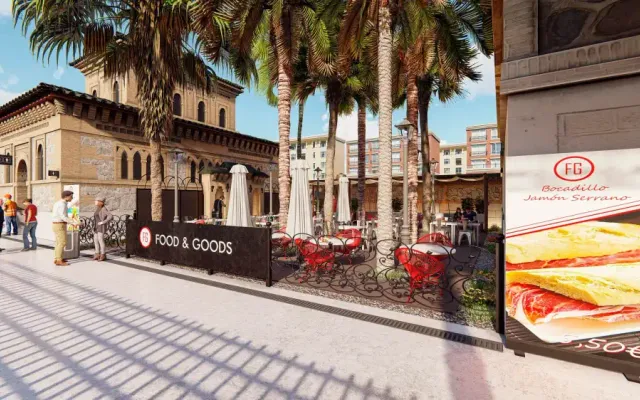
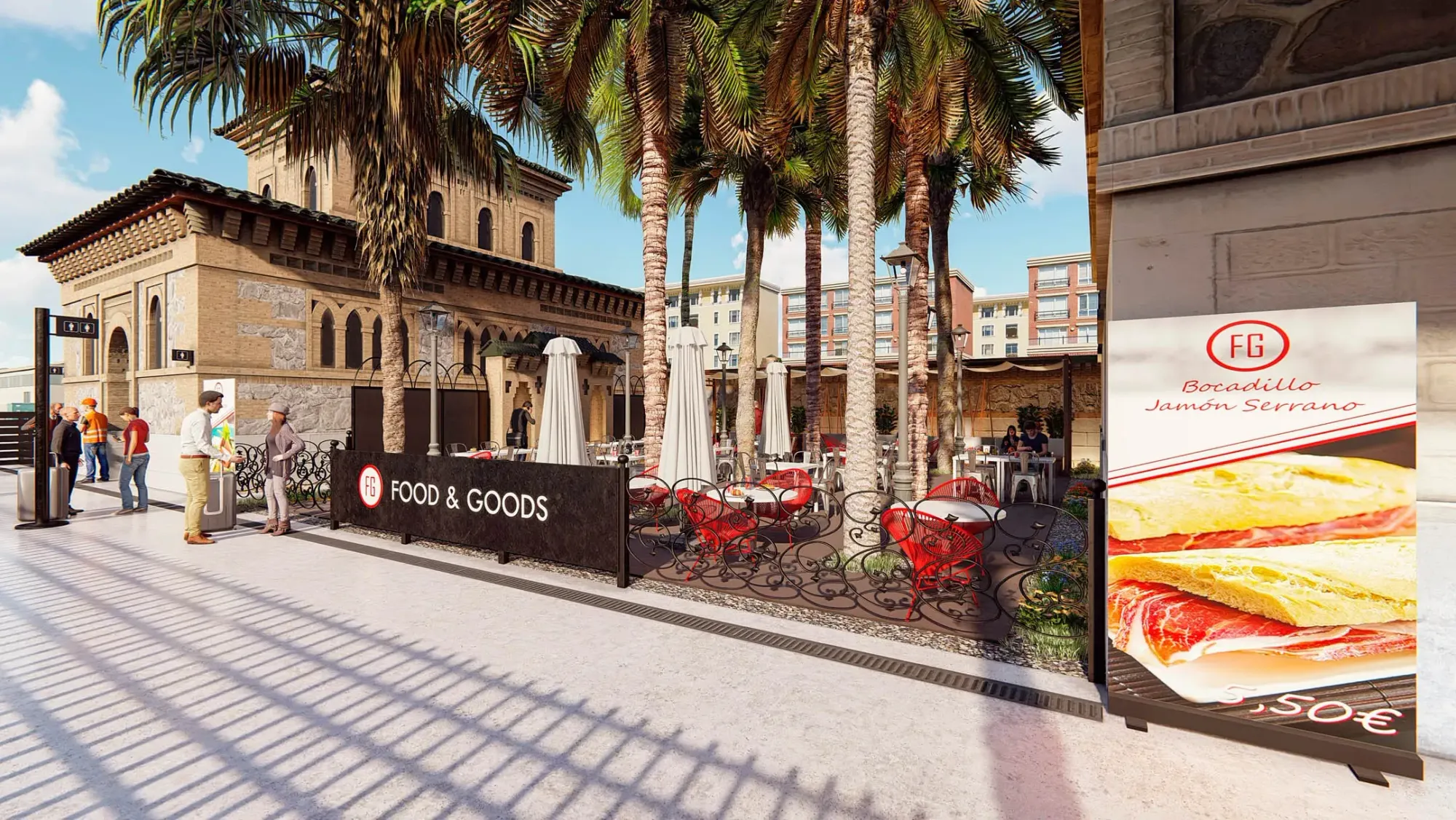
In the proposal for ADIF's Toledo Station, the Food & Goods scheme is visualised on site, beside the station's Neo-Mudéjar façade, with terrace, furniture and signage integrated into the protected setting. What is being judged is not a terrace in the abstract but how it sits alongside a historic building: the scale of the furniture and the height of the parasols read against the façade.
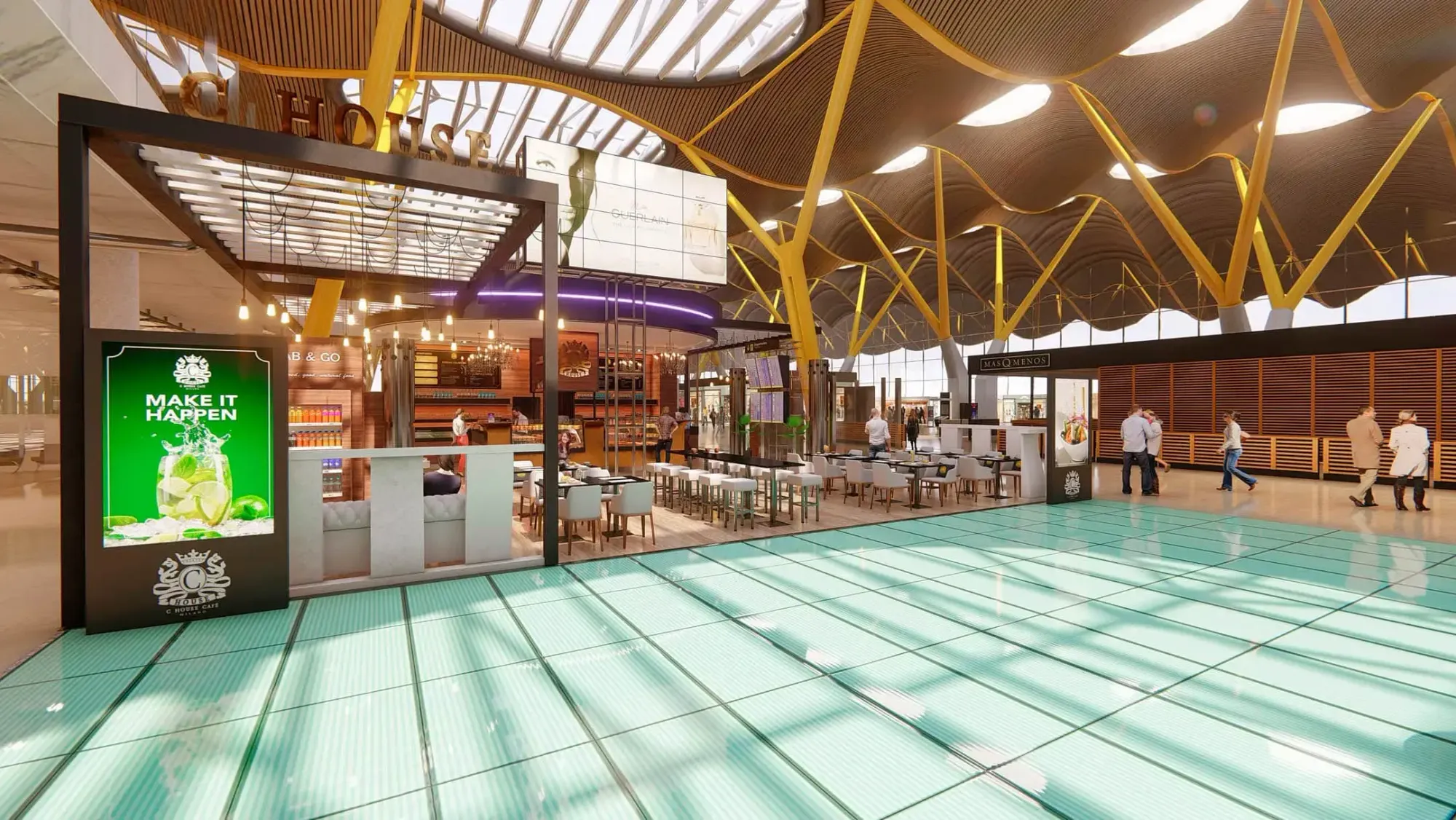
For the food and retail concession tenders, each unit is visualised inside the existing building, with branding, furniture, lighting, signage and the passenger flow around it. At Terminal T4, the undulating ceiling and the columns everyone recognises frame the proposal: the panel assesses it in its real context, not as an isolated interior.
D5 Render or Unreal Engine: when to use each
There is no better tool in the abstract; there is one better suited to each commission.
- D5 Render fits when several stills are needed quickly and the model comes from SketchUp, Revit or Rhino. The camera is matched by hand from the focal length and the passes come out ready for compositing.
- Unreal Engine pays off when there is noticeable lens distortion, when the photomontage needs to become a film or an interactive experience, or when the same model will feed a tender presentation video.
Either way, we apply the rule we set out on AI in architectural visualisation: a photomontage represents the project; it is not a free-hand improvement. If the photo shows a tree that will be felled or a building that will be demolished, that is agreed with the client and explained, not quietly erased.
What we need to get started
A credible photomontage needs little, but it needs it well defined:
- Photographs from the agreed viewpoint, at full resolution and with their original metadata.
- Date and time of the shot, or permission for us to take it in the light that suits the project.
- Drawings or model of the project, with verified dimensions and heights.
- Measurable references in the surroundings: one neighbouring façade height or a wall height is enough to fix the scale.
- Intended use: planning application, competition, sales or investment, because it changes the level of detail and the framing.
If your project needs to be seen in its real setting, by a tender panel, a council or a buyer, tell us about your project. We will propose the viewpoints, the tool and the workflow so the photomontage convinces because it adds up.