3D architectural visualisation and AI: more realism without betraying the design
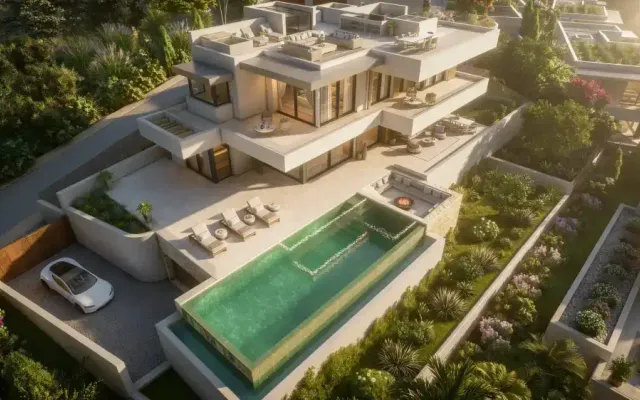
The 3D model locks geometry, materials and light; AI refines planting and people and sets images in motion. This is how architectural visualisation works today without promising what will not be built.

A developer receives two versions of the same render. In the first, the architecture is flawless, but the olive trees look like plastic and the people like mannequins. In the second, run through an AI tool, the planting breathes and the people look real… but the window frames have changed colour and a window has appeared on the façade that is nowhere in the drawings.
Neither of them will sell the project. The first leaves buyers cold; the second promises something nobody is going to build.
Today, architectural visualisation works as a hybrid workflow: the 3D model locks down what will be built, and AI works on top of it, only where it adds realism and movement.
The 3D model is still the source of truth
Everything the client is buying comes from the model: volumes, openings, frames, paving and cladding, with their dimensions and real orientation to the sun. That part is built from drawings or BIM and textured with the specified materials. We covered which parts of modelling AI can assist with in vibe coding and 3D design; here we look at what happens after the render.
This is not just about looks. In Spain, Royal Decree 515/1989 states that housing advertising must not mislead, and that the construction, location, services and installation details it includes are enforceable even when they are not in the signed contract. A sales render is advertising: if AI adds a pergola or changes a finish, it promises something the project does not include.
Planting: where AI adds the most
A believable tree needs thousands of leaves, variation between specimens and a degree of disorder. In 3D, that makes the scene far heavier and, even then, tends to look repetitive.
This is exactly where AI performs best. On 11 June 2026, Chaos explained how its AI Enhancer works in Enscape, V-Ray and Corona: it detects characters, vegetation and large surfaces and lets you choose what to enhance "without affecting the rest of the image". The company adds that results are better with its own library assets, because the AI has a better understanding of the object's initial form. In other words: the better the 3D base, the better the AI performs.
That said, AI improves how plants look; it does not decide which plants go where. Species, size and position come from the landscape design: if the plan says olive trees and lavender, the image cannot fill up with palms.
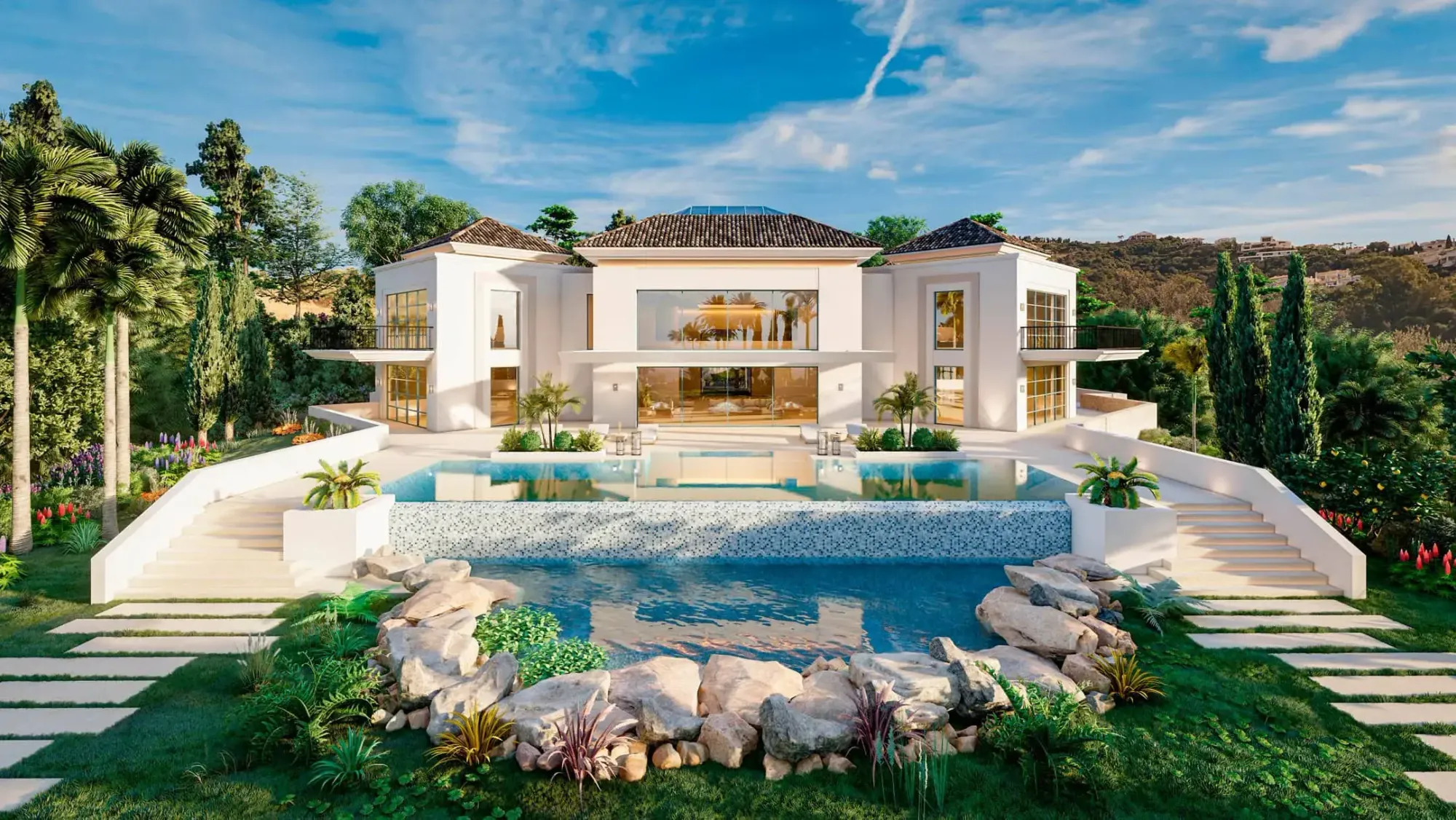
In the villa in La Zagaleta, tropical planting and the rock pool fill the foreground, and light, planting and scale are handled to convey privacy. When the garden is part of the sales argument, that layer deserves as much care as the façade.
People who look like people
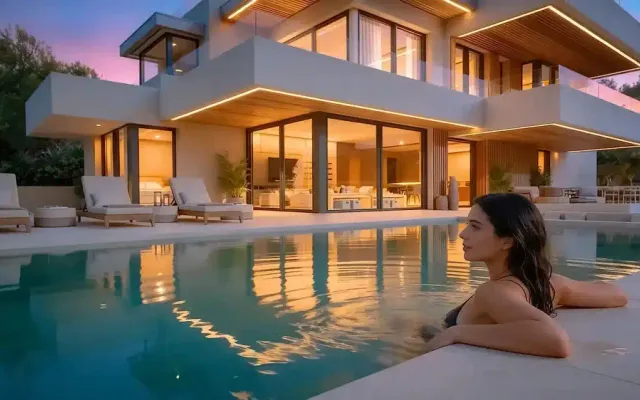
3D figures give scale and show how a space is lived in, but they often give the image away: stiff poses, weightless clothing, flat skin. Replacing them with photorealistic people generated by AI is one of the most visible improvements available.
We suggest keeping the 3D figure in the render as a guide: it fixes position, scale and light direction, and AI only replaces its appearance inside a mask. That way nobody ends up floating, with a shadow pointing the wrong way or taller than a doorway.
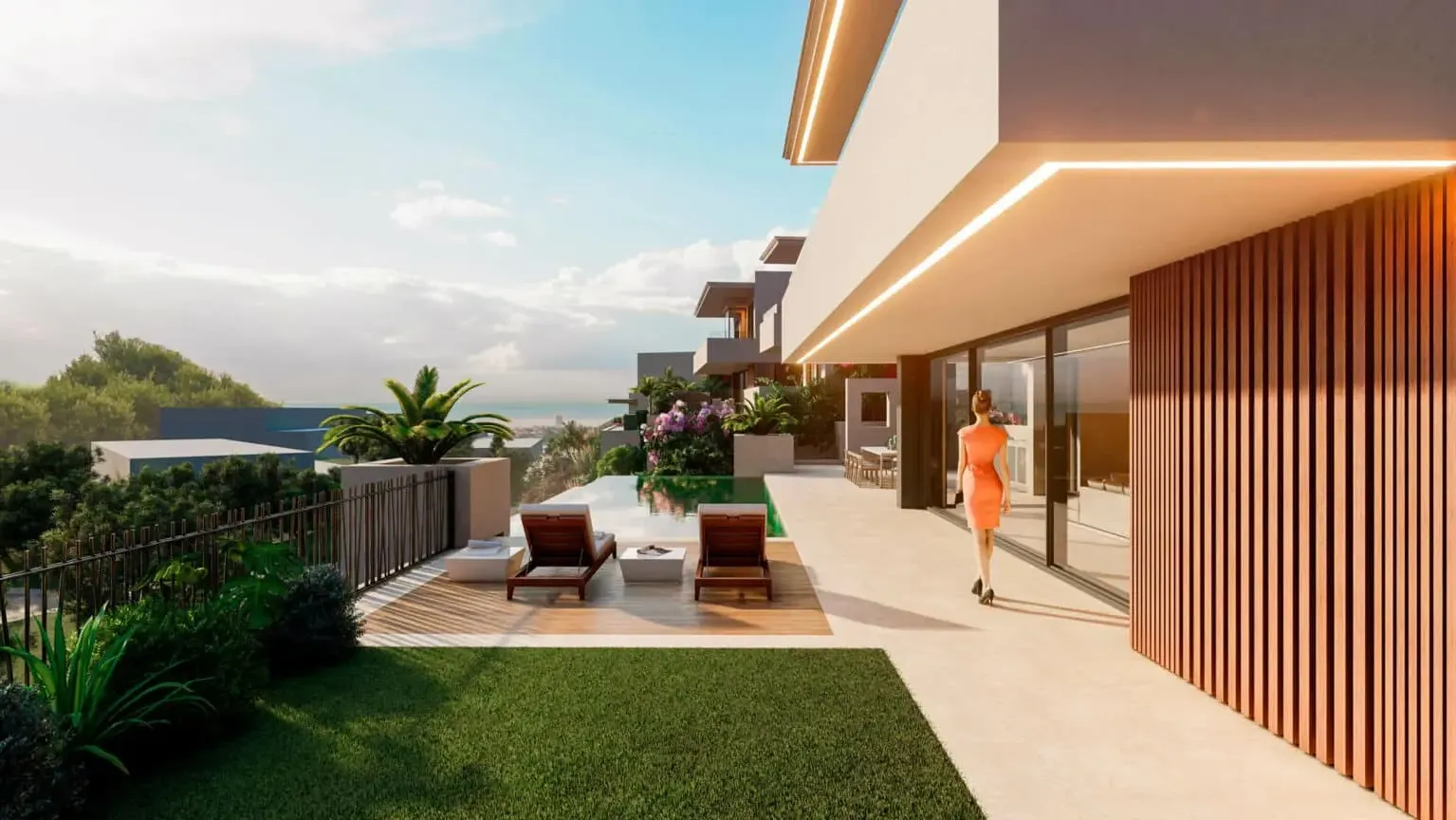
In the walkway view of 7 Heaven, the figure walking beside the façade brings the image down to human scale: beside it, the overhang, the timber cladding and the garden can be read.
There is also a transparency question. Since 2 August 2026, the EU AI Act has required "deep fakes" to be disclosed: AI-generated or manipulated content that resembles existing persons, objects, places, entities or events and could falsely appear authentic. For evidently creative works, it is enough to do so without hampering enjoyment of the work; we covered this in our post on gamified experiences. In architectural visualisation we suggest two rules: no generated person should resemble anyone real, and the way the image is flagged as a visualisation should be agreed with the client.
Consistency: what AI must not touch
Generative AI tends to "improve" by inventing: it rounds off an edge, changes the tone of a timber, adds mouldings, multiplies the mullions in a window or opens sea views from a room that faces the mountains. Each change looks minor; together, they take the project apart.
Before applying any AI layer, it pays to define what is locked:
- Geometry and openings: volumes, windows, doors, heights and overhangs.
- Frames and balustrades: colour, profile and divisions.
- Specified materials: tone, grain, format and finish.
- Real products: if the buyer is getting a specific kitchen or set of taps, it is not reinterpreted.
- Orientation and views: light comes in where it comes in, and the landscape is what it is.
Technique backs this up: the render is exported with mask passes by object or material, AI works only inside the permitted areas, and the result is overlaid on the original to compare it at full size.
Consistency also plays out across images. At Villa Esmeralda, the living room with arched windows keeps the lighting direction and materials of the exterior view, so both read as one project. An AI layer applied to a single image must not break that continuity.
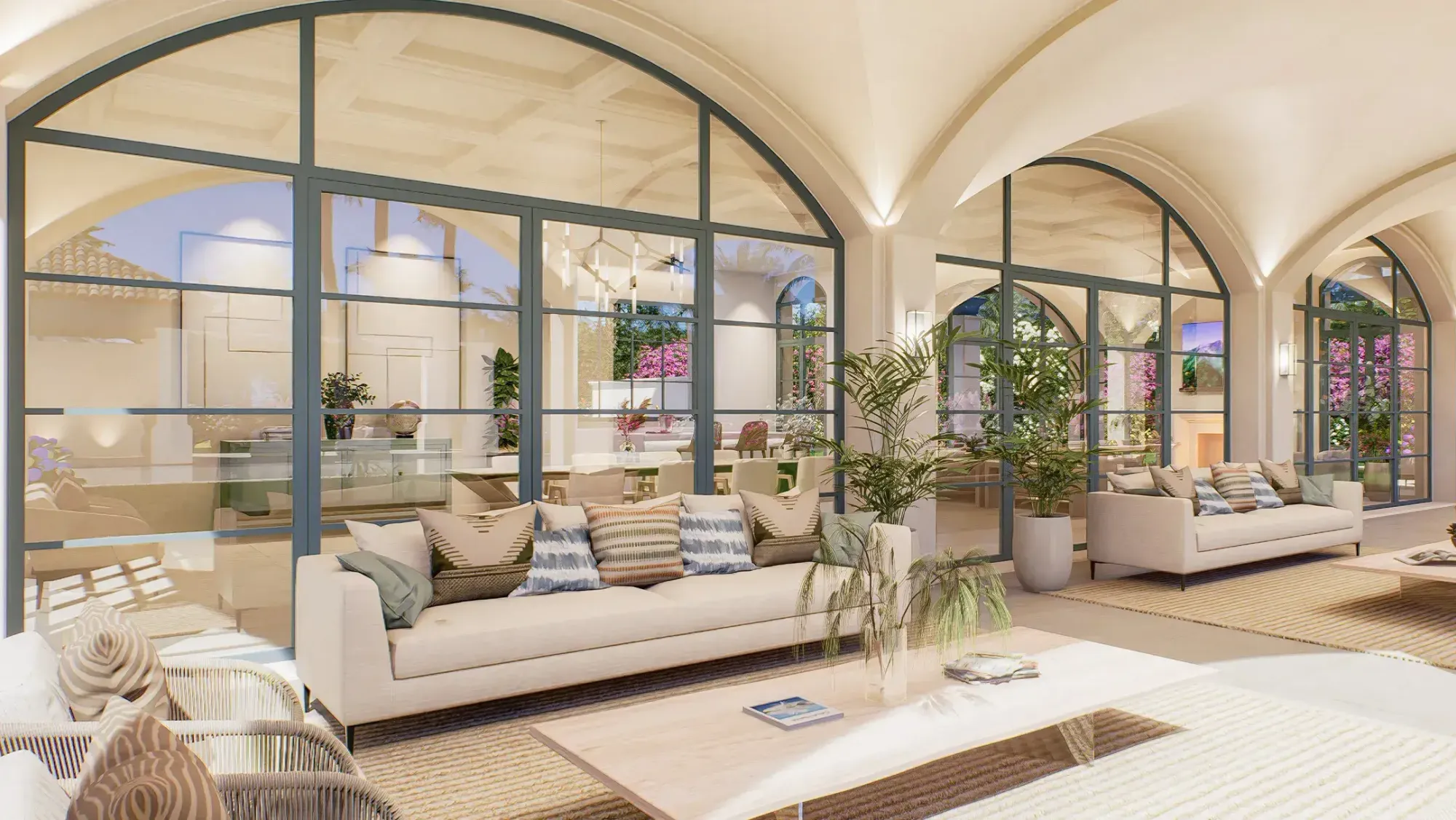
From render to video: motion anchored to the 3D
Moving an image used to mean animating the scene and rendering every frame. Today, image-to-video models animate a still render: leaves swaying, water, people walking or light falling towards dusk.
The risk is multiplied by every frame: lines that bend, windows that duplicate, materials that change mid-shot. That is why tools that anchor the motion matter. On 15 October 2025, Google introduced Veo 3.1 with first and last frame control: given a starting and an ending image, the model generates the transition between them.
In architectural visualisation, both ends of the shot come from the 3D. A series like La Zagaleta, which repeats the same view by day and at dusk, is exactly the kind of pair that lets AI generate the shift from one light to the other, with the architecture pinned at the start and at the end.
How we split the work:
- AI for short shots with little camera movement: atmosphere, planting, water, people and changes of light.
- 3D animation for long walkthroughs or shots that must match the technical documentation exactly.
- Frame-by-frame review before the edit, against the same list of locked elements.
A workflow built on several tools
No single tool delivers a project: modelling, the render engine, image editing, video generation, upscaling and editing all play a part. The value lies in deciding which step goes to which tool and in checking between steps. For an off-plan development, we propose this sequence:
- Model the architecture from drawings or BIM, with verified dimensions and the specified materials.
- Agree cameras and light with the client: framing, time of day and real sun orientation.
- Render with passes: final image, masks by object and material, and depth.
- Apply AI only in the permitted areas: planting, people, sky and atmosphere.
- Check consistency against the original render and the list of locked elements.
- Add motion shot by shot, with first and last frames taken from the 3D.
- Deliver with traceability: what was generated, with which tool and how it is flagged to the public.
At Viseni we have spent years producing renders, animations and real people integrated into 3D scenes, and we now bring AI into parts of that process. What we do not delegate is judgement: deciding where it adds value and where it must stay out.
If you have an off-plan project and want images and films that make the most of AI without promising anything that will not be built, tell us about your project. We will propose a tailored workflow in which the 3D locks the design and AI adds the realism.