Touch, gesture or button panel: designing a trade fair experience people get in seconds
A trade fair visitor gives you a few seconds before deciding whether to step closer. The way they interact decides whether they understand, are surprised and remember the brand.
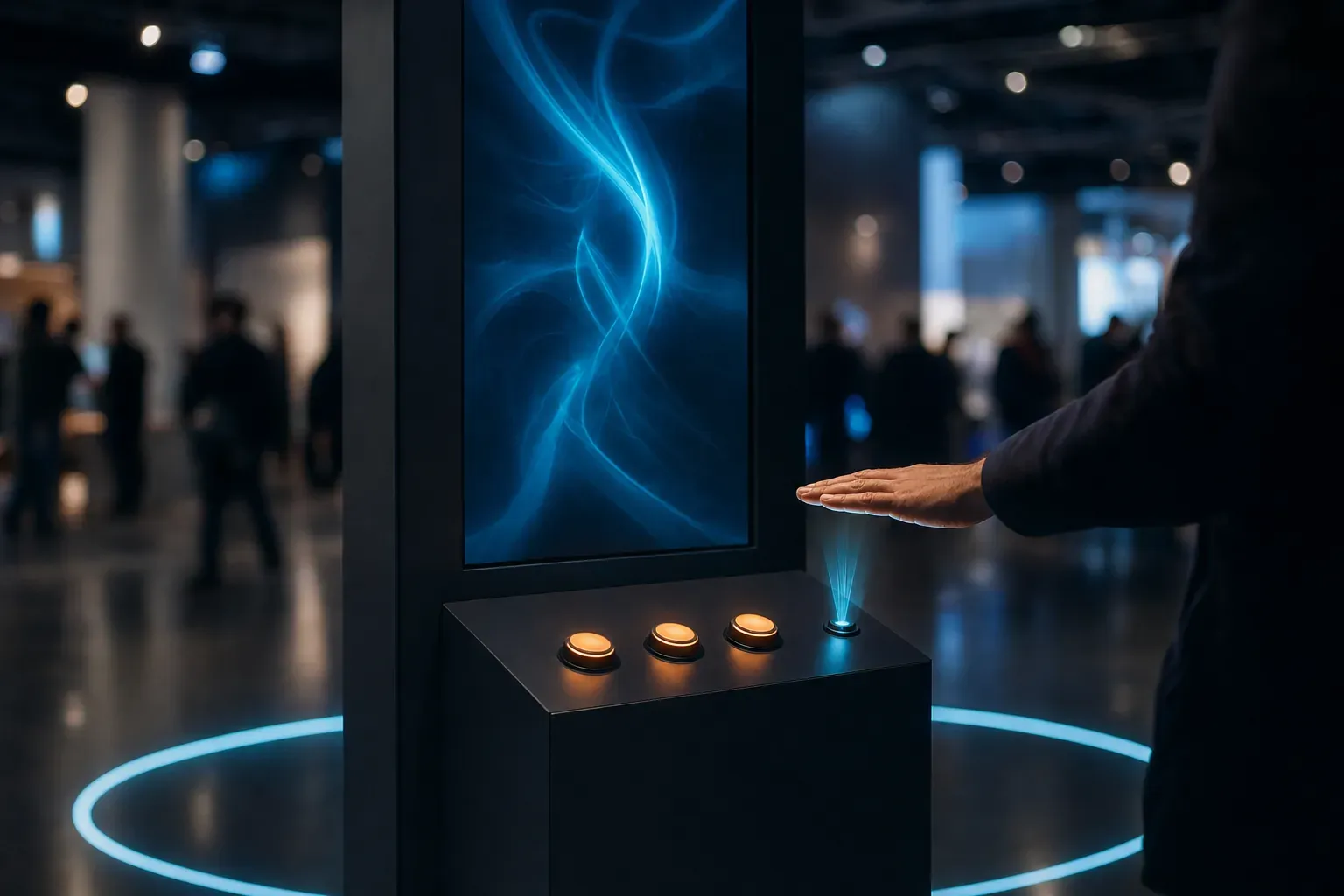
Day two of the fair, mid-afternoon. A visitor walks down the aisle with a badge round her neck and three meetings still to go. She passes twenty stands and stops at one: the screen has reacted to her. She steps closer, raises a hand and the scene responds.
She has not read any instructions or waited for anyone to explain. In less than a minute she has played, laughed and left with an image on her phone.
At a trade fair, the input device is not a technical detail: it is the first line of the conversation with the brand. If it is not obvious at a glance, there is no conversation. Here we look at the options we work with at Viseni (touchscreens, mid-air gestures, cameras, custom controllers, VR and AR) and how we choose between them.
Designing for someone passing by
Visitors have not come to see your experience: they are on their way somewhere else. So we design in four beats:
- Catch the eye from the aisle: movement, light and a scene that reads from several metres away. At rest, the experience stays alive; it never shows an empty menu.
- One obvious first action: a gesture, a big button, a marked spot on the floor. If people have to work out how to start, you lose a good part of the audience.
- Instant feedback: every action has an immediate visual and audio response. That is how curiosity turns into confidence.
- An ending worth remembering: a photo, a prize, a score or a surprising fact. It is what visitors associate with the brand.
Premium does not mean complicated: it means everything works first time, materials and animation are polished, and nobody feels clumsy in front of other people.
Touchscreens: familiar, done properly
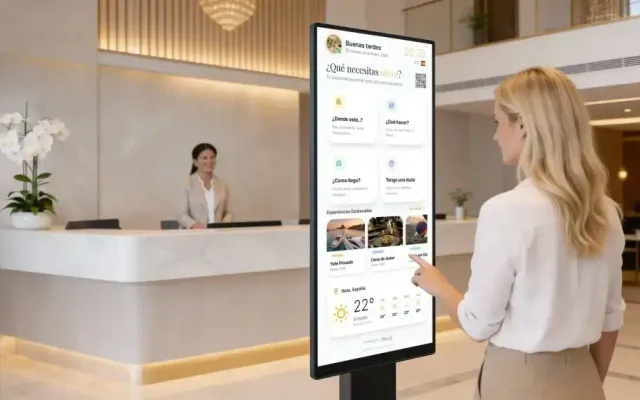
Everyone knows how to use a touchscreen. The risk is treating it like a website, with menus, long text and small buttons. At a fair we approach it like this:
- Few, large options, at a height that also works for wheelchair users and children.
- No keyboards: if people need to leave details, a QR code that moves the task to their phone works better.
- Separate the controls from the show: the person interacting uses a simple controller while everyone else enjoys the scene on a large screen.
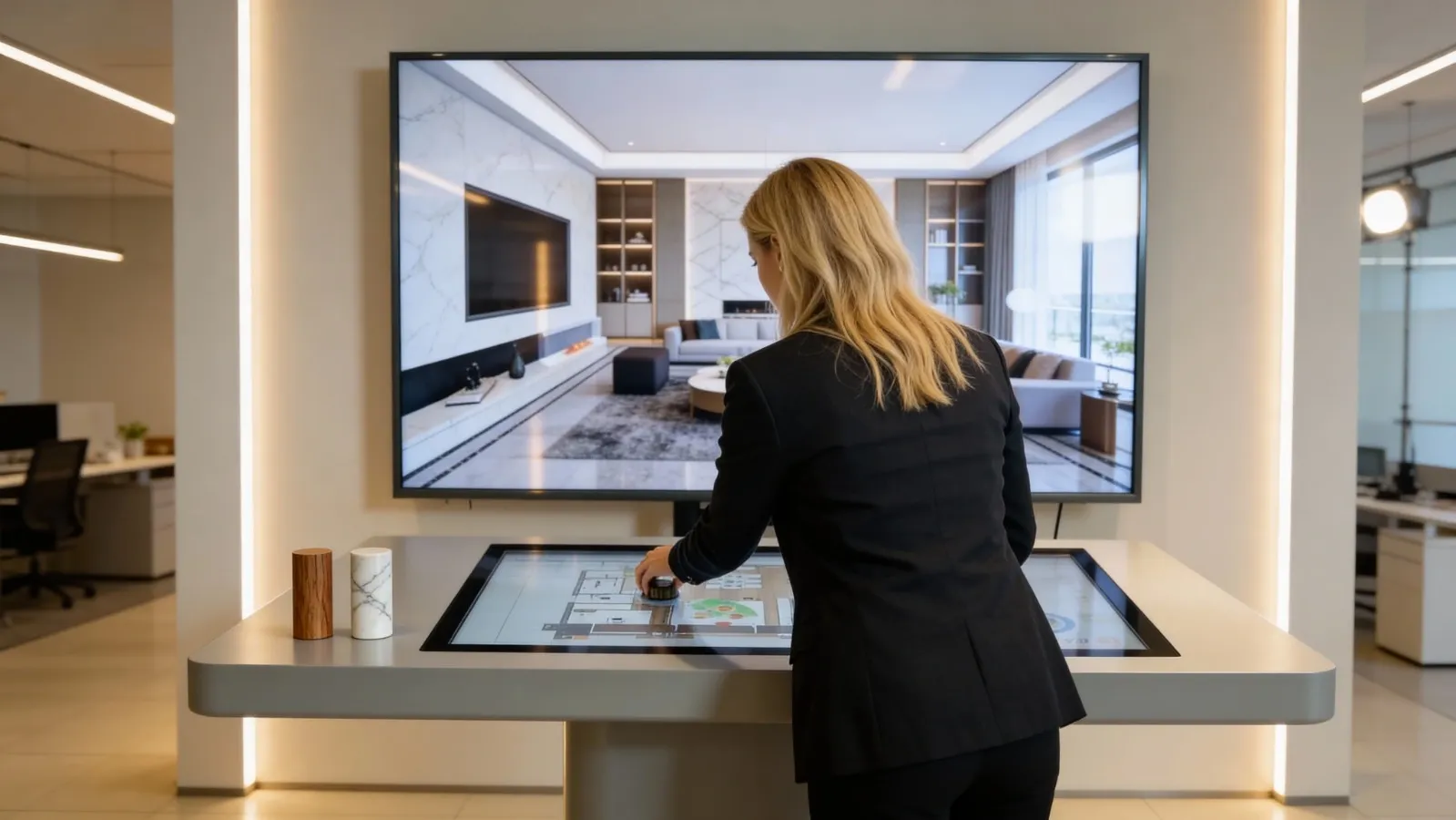
That is the thinking behind VLI Commander, the station we built in Unreal Engine 5 for a client's showroom: a 60" display shows the photorealistic interior, while a 32" touchscreen lets buyers move through the home and choose finishes with no learning curve.
Mid-air gestures: touch without touching
Hand-tracking sensors make touchless interaction possible. Ultraleap's Leap Motion Controller 2, for example, tracks hands at a depth of 10 to 110 cm with a 160° × 160° field of view, and the manufacturer positions it for controlling a computer without keyboard or mouse, or for turning a display into a touchless surface.
The effect is striking, but mid-air gestures are not intuitive on their own. They have to be taught without words:
- Show where the hand goes, with light or a shape on the plinth.
- Prove the system can see you: an on-screen hand or cursor that follows yours from the very first moment.
- Keep gestures few: point, swipe and hold. Nothing to memorise.
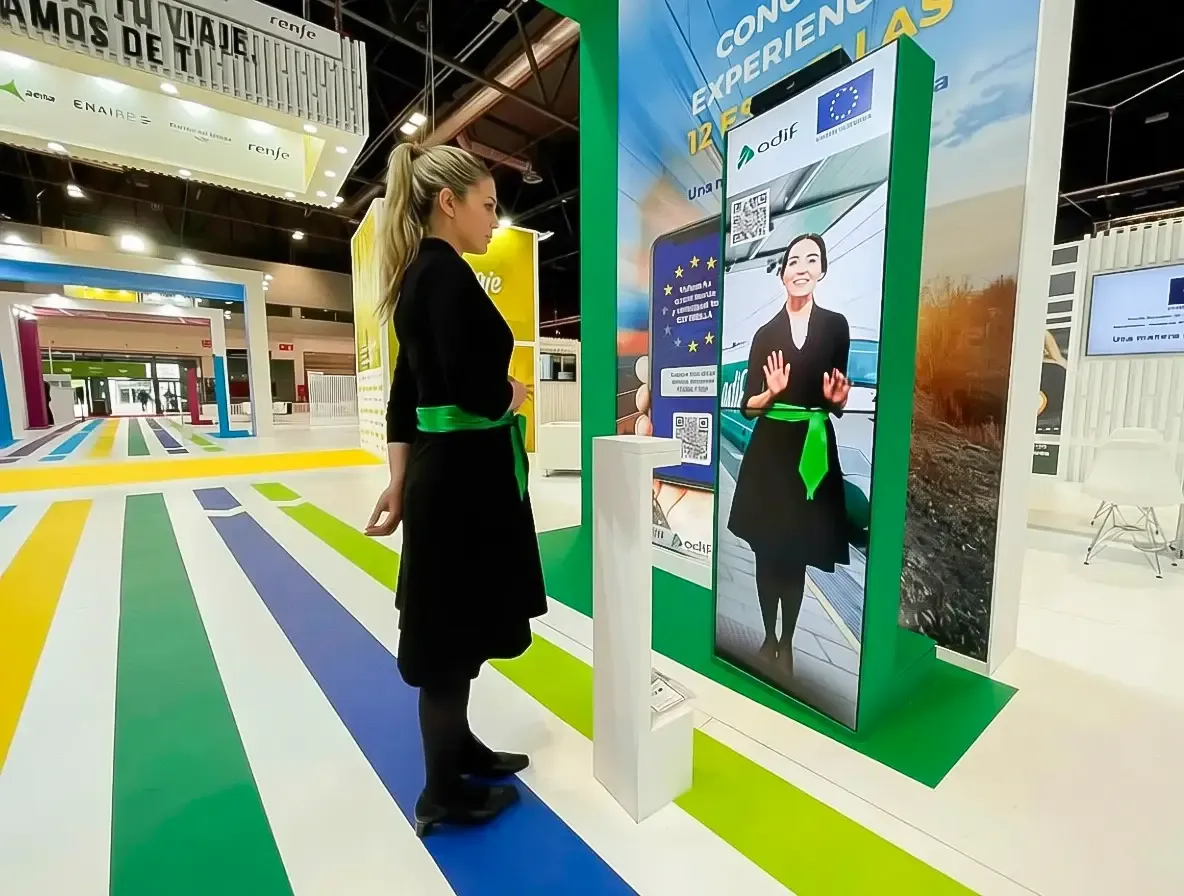
That is how the virtual host we developed for MITMA works: a vertical screen where a host answers each question with video, controlled with a wave of the hand through Leap Motion, without touching the screen or any device.
The camera as a switch: look or smile to start
A camera can tell when someone has stopped in front of it and wake the experience up without them touching anything. Tools such as Google's MediaPipe Face Landmarker work on live video, including in the browser, and return 478 facial landmarks, 52 facial expression scores and matrices describing head orientation.
On that basis we propose very natural triggers:
- Looking at the screen for a moment, so the scene comes alive and says hello.
- Smiling to take the photo or unlock the next step.
- Stepping closer to move from the invitation in the aisle to the full experience.
Judgement matters as much as technology here. Recital 18 of the EU AI Act makes clear that the mere detection of readily apparent expressions, such as a smile, is not emotion recognition unless it is used to identify or infer emotions. So we treat a smile as a button, never as a way of working out how someone feels, and we propose processing the video on the device itself, without identifying anyone or keeping images, with a clear notice on the stand. If photos are stored, data protection comes into play, as we explain in gamified experiences, and it is worth reviewing with the client's legal advisers.
Custom controllers: button panels, push buttons and joysticks
For a quiz or a game, few things beat a big physical button: it needs no explanation, lets two or four people compete side by side and turns onlookers into an audience. A joystick, steering wheel or pedals add the feeling of driving, flying or sailing.
Custom-built, the controller becomes part of the stand: shape, materials, brand colours and lighting that reacts to the game. It does not lock you into closed technology either: the W3C Gamepad API lets a web application read the buttons and axes of gamepads, joysticks, steering wheels and pedals, so the same game can be tested on a touchscreen and arrive at the event with its final button panel.
Three details are worth getting right: rugged push buttons built for thousands of rounds, games that reset themselves if someone walks away, and short rounds with a visible scoreboard so the queue gets to play.
The visitor's own phone is a controller too. In the MITMA interactive quiz, a QR code closed the game and delivered the prize according to the stars collected.
VR and AR: immersion with a capacity limit
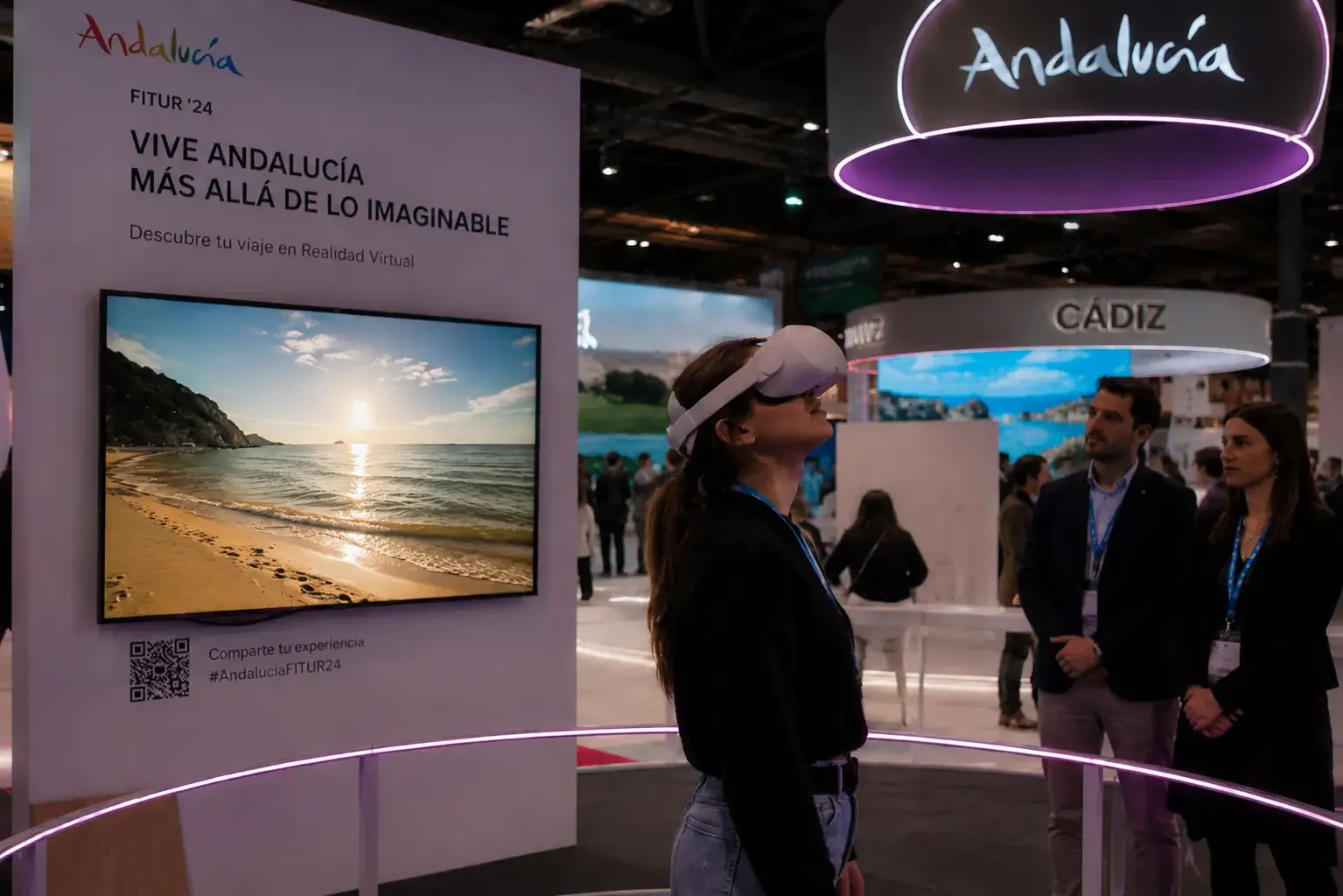
Virtual reality offers the most intense immersion, but only one person at a time experiences it. To stop it becoming a dull queue, you need a screen showing everyone else what is happening, a safe area and someone to help with the headset. In the Andalucía virtual reality experience at FITUR, a supporting screen keeps people company while they wait their turn.
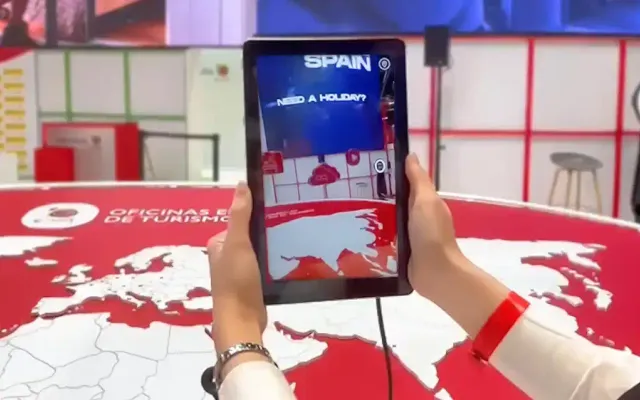
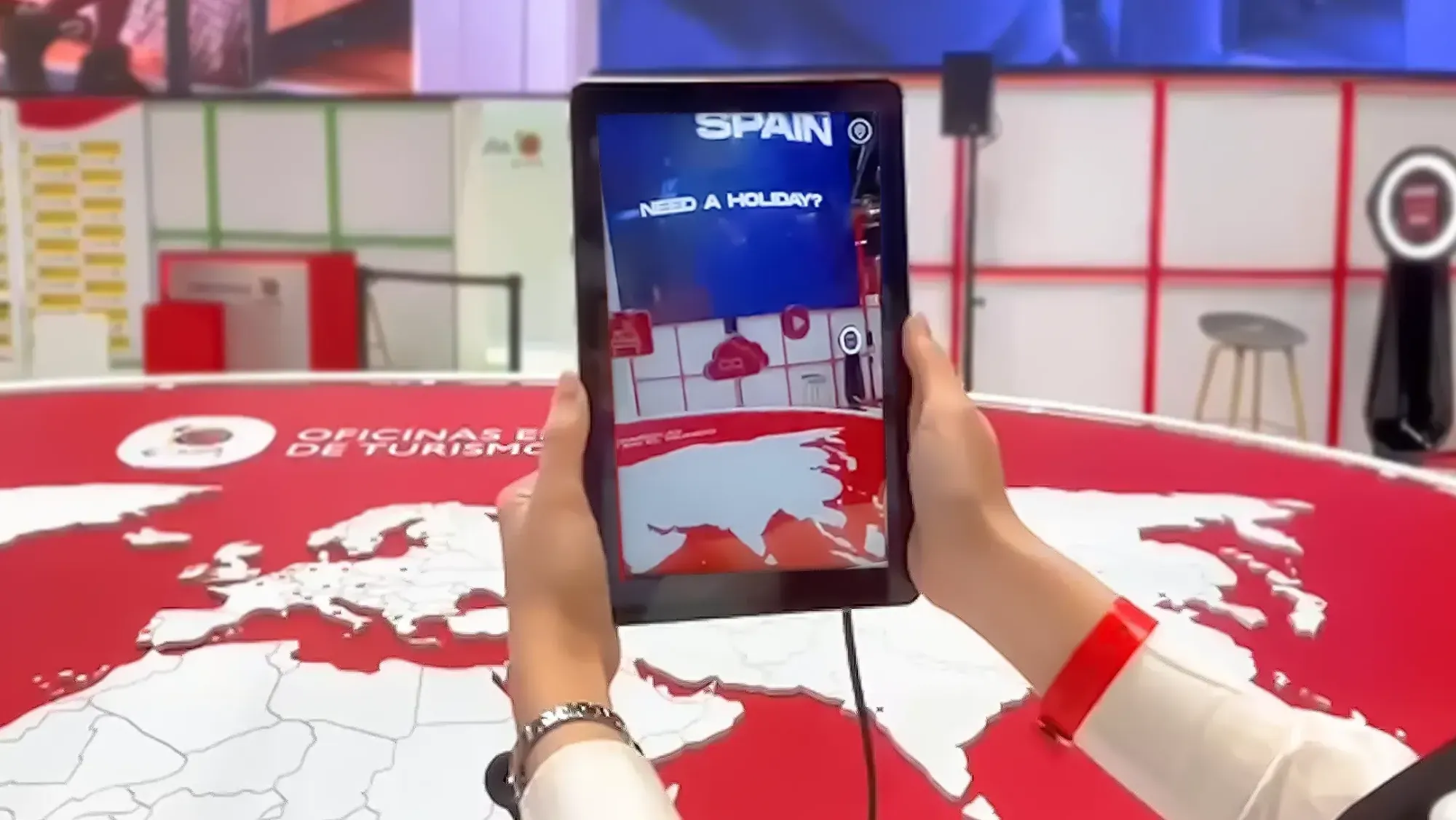
Augmented reality works the other way round: it is lighter and more social. With a tablet or a phone, several people discover content on a physical object at the same time. In Turespaña's augmented reality map, a large map table is the centrepiece of the stand: each visitor points a tablet at it and the content appears on the map.
How we choose the device
No device is best; each suits a different goal:
| Device | Shines when… | Watch out for… |
|---|---|---|
| Touchscreen | People need information or a choice of options | Deep menus and long text |
| Mid-air gestures | You want surprise or touchless interaction | Teaching the gesture without words |
| Camera | The experience should start by itself | Privacy and clear signage |
| Button panels and joysticks | There is a game or competition between several people | Durability and waiting time |
| Virtual reality | Immersion is the message | One person at a time |
| Augmented reality | There is a physical object to explain | Stand lighting and reflections |
With the client, we cross this table with five facts: how many people interact and how many watch, how much time visitors really have, the stand setting, what they should take away and who will run the experience if something fails. With that, the device almost chooses itself. Then comes the part no render shows: testing with real people before the event and watching where they hesitate.
If you are planning a trade fair or an event and want an experience that explains itself, surprises people and stays with them, tell us your idea. We design the device, the application and the staging as a single piece.