Building digital twins: connecting 3D models with maintenance
A 3D building model explains a space. An operational digital twin connects that space with assets, data and tasks. Here is how to design a useful maintenance interface without confusing a convincing visualization with the building's actual condition.
A maintenance manager receives a temperature alert. It includes an equipment name, a reading and a timestamp. Before deciding what to do, they still need to locate the machine, establish which spaces it serves and check whether somebody is already working on it.
That creates an interesting opportunity for 3D design and application development: bring the reading, its physical context and the next action into one place. This is a practical purpose for an operational building digital twin.
What turns a model into a digital twin
An interactive model lets people explore floors, materials and routes through a building. It can be highly detailed while describing only the intended design. Adding glowing markers or animated sensors does not demonstrate a connection to the physical building.
For the operational use considered here, there must be a maintained link to real elements: which asset each object represents, where its condition comes from and when it was updated. Updates can be periodic; their frequency should suit the task, without presenting delayed information as instantaneous.
The 3D scene is one possible interface. Underneath it, an information model is needed. Azure Digital Twins describes entities connected through relationships, such as a floor containing rooms. That structure can also express which equipment serves an area. Geometry helps people understand those connections, but does not establish them.
Start with asset identity
The first task is agreeing what counts as the same asset across systems. A pump might have one name in the building model, another in maintenance software and a different code in the sensor platform.
In IFC, buildingSMART defines the GlobalId attribute on IfcRoot to uniquely identify the entities that inherit it. That identifier can contribute to the mapping, but does not automatically connect a model with every external system.
A maintained register should link the visual object, the physical asset and its data sources. It also needs rules for equipment replacement. A location may remain unchanged, while a replacement machine needs its own identity and history. Carelessly reusing the old record would mix faults from two different assets.
Make data freshness visible
A temperature reading without time context can mislead. Our suggested interface would show the unit, source, measurement time and connection state alongside each reading. The reception time can also be useful when communications are delayed.
Each signal needs an expiry policy agreed with the people operating the building. Once that limit is reached, the application should mark the reading as outdated while keeping its value and date visible. Missing data does not mean normal operation. A reassuring colour should never conceal that uncertainty.
Manual inspections deserve the same attention. A technician's observation can provide information unavailable from sensors, as long as it is distinguishable from an automatic measurement. Estimates and simulations should also be clearly identified, so people know what they are relying on.
A hypothetical hotel maintenance workflow
Imagine a hotel where one air handling unit serves several rooms. This example describes a proposed workflow; it is not a completed project or a report of measured results.
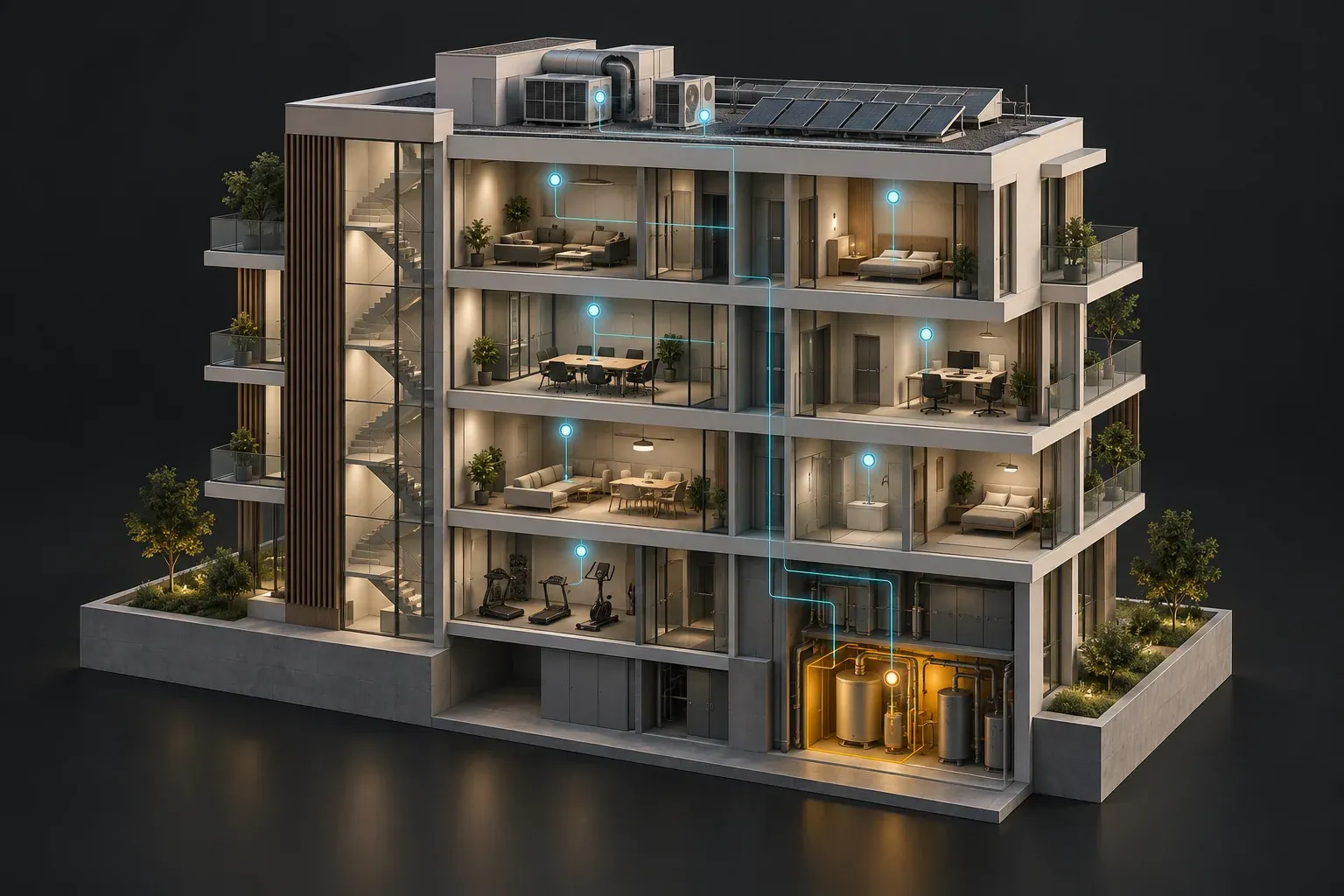
The application receives a signal outside the range agreed for that unit. Opening the incident shows the technician its location, the relevant floor, the associated spaces and access to the plant room. Recent readings, the equipment manual and pending maintenance work are available in the same context.
Before creating another task, the technician checks for an existing work order. They compare the signal with other observations and decide whether an inspection is appropriate. The model helps with orientation; diagnosis still requires professional judgement and, where appropriate, physical checks.
After the inspection, the technician records the findings and work performed. The incident moves to review or closure according to the hotel's procedure. A reading returning to the expected range should not automatically erase work that still requires verification.
Alerts should explain the change
A useful alert identifies the asset, what changed, when it happened and who should review it. It should also disclose whether it relies on old information or an equipment relationship that has not yet been verified.
Azure Digital Twins event documentation distinguishes property changes, relationship changes and telemetry messages. These are mechanisms for communicating events. Turning them into understandable incidents requires application logic and rules agreed with the operations team.
Those rules need to account for repeated messages and planned maintenance. Ten messages about the same fault may belong to a single incident. Viewing equipment and issuing commands to it also require different permissions: interacting with a model should not accidentally trigger a control instruction.
Build a pilot that answers a real question
A sensible starting point is one area, one equipment type and one specific decision. Before extending the scope, the team can check:
- Whether technicians find the correct asset and recognise its location.
- Whether they understand which readings are current and which need review.
- Whether incidents retain an owner, history and clear status.
- Whether the workflow remains usable when a data source fails.
The pilot also exposes the effort required to maintain mappings, update geometry and review permissions. Without that continuing work, a convincing representation can become unreliable. Potential benefits should be evaluated through actual use, rather than assuming savings simply because an interface includes 3D.
At Viseni, interactive visualization and digital development offer a meeting point for exploring these interfaces. Tell us which decision your team needs to make and what information is available. That is a more useful foundation for a prototype than attempting to represent an entire building on day one.