
Lightmapping: the technique that separates mediocre 3D projects from impressive ones
Lightmapping gives physical realism to video games, 3D applications, and architectural visualizations. We explain what it is, why it matters, and how to apply it without needing a complex pipeline.
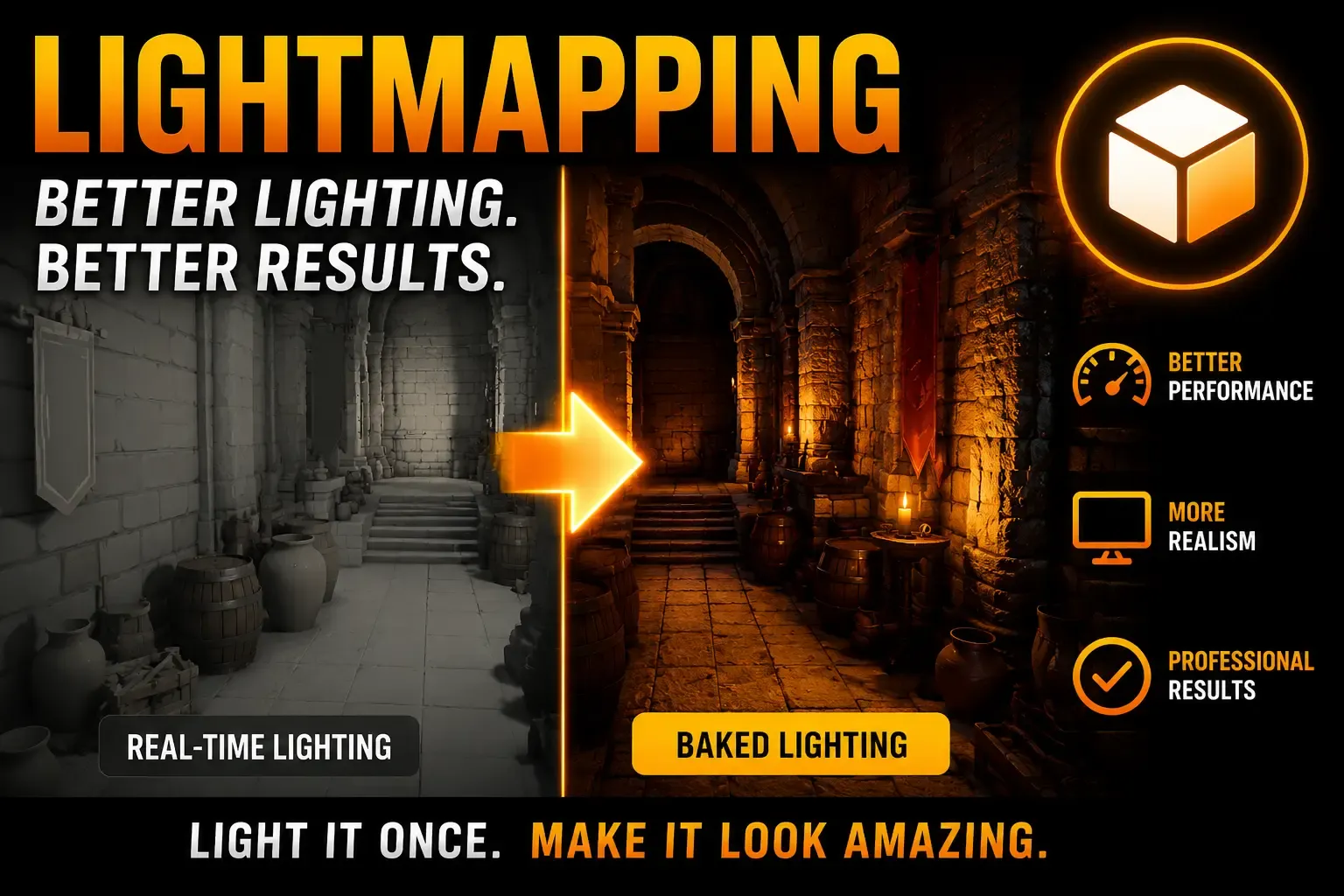
When you see a render that looks like a photograph, or a video game whose shadows feel real, something is happening beneath the surface that most people never see: lightmapping.
It is the difference between a 3D model that seems to float in the air and one that belongs to the space surrounding it.
What is lightmapping and why does it exist
Lightmapping is the process of precomputing the lighting of a 3D scene and storing it in a texture —the lightmap— that is then applied to the models. Instead of calculating light in real time every frame, it is calculated once and the result is saved.
The reason is physical and mathematical: correct global illumination requires simulating how light bounces between surfaces, is absorbed in crevices, attenuates with distance, and creates soft shadows. Doing that in real time for complex scenes remains extremely costly. Lightmapping solves that problem elegantly: you pay the cost once, save it, and use the result indefinitely.
Ambient Occlusion: the invisible ingredient of realism
Within lightmapping, the most universally used technique for giving depth and contact to models is Ambient Occlusion (AO).
AO simulates how ambient light is obstructed in cavities, corners, and contact zones between objects. Those areas become darker because light has fewer entry angles. The result is subtle but powerful:
- Interior corners gain natural shadow
- Surfaces in contact show a realistic darkening line
- Models visually "weigh" — they stop floating
- Perceived depth increases without needing more geometry
Without AO, a 3D scene looks flat and unreal even if the materials are perfect. With AO, even simple models gain immediate visual credibility.
Where lightmapping is applied
Video games
Industry standard since the 90s. Engines like Unreal, Unity, and Godot have built-in lightmapping systems. Lightmaps allow a game to have cinematic-quality lighting on consumer hardware because most of the computation happened before the player opens the game.
Real-time 3D applications (WebGL, three.js, babylon.js)
Web visualizers, product configurators, interactive architecture — all benefit from lightmapping. On the web, where resources are limited, prebaking lighting is almost mandatory to get decent visual quality without destroying performance.
Architectural visualization
High-quality static renders use full path tracing, but interactive virtual tours need lightmaps. It is the bridge between the quality of a render and the interactivity of a real-time application.
Product design and 3D e-commerce
3D product configurators on the web need lightmaps for materials to look good. Without them, the same model with the same materials can look like cheap plastic.
Metaverse and XR applications
In VR and AR, computing power is especially limited. Lightmapping is almost mandatory to reach the minimum visual fidelity that makes the experience believable.
The problem: the traditional process is slow and complex
The classic lightmapping pipeline requires:
- Setting up specialized baking software (Blender, Marmoset, Substance...)
- Generating overlap-free UV2 lightmap UVs for each model
- Correctly configuring the lighting scene
- Waiting for the baking process, which can take hours
- Exporting and reintegrating the lightmaps into the final application
For large studios with an established pipeline, it is manageable. For independent developers, designers, or small teams, it is a real barrier.
Tools that democratize lightmapping
We have developed two tools designed to make AO baking accessible to anyone working with 3D, without needing a complex pipeline.
AO Lightmapper — Desktop application for Windows
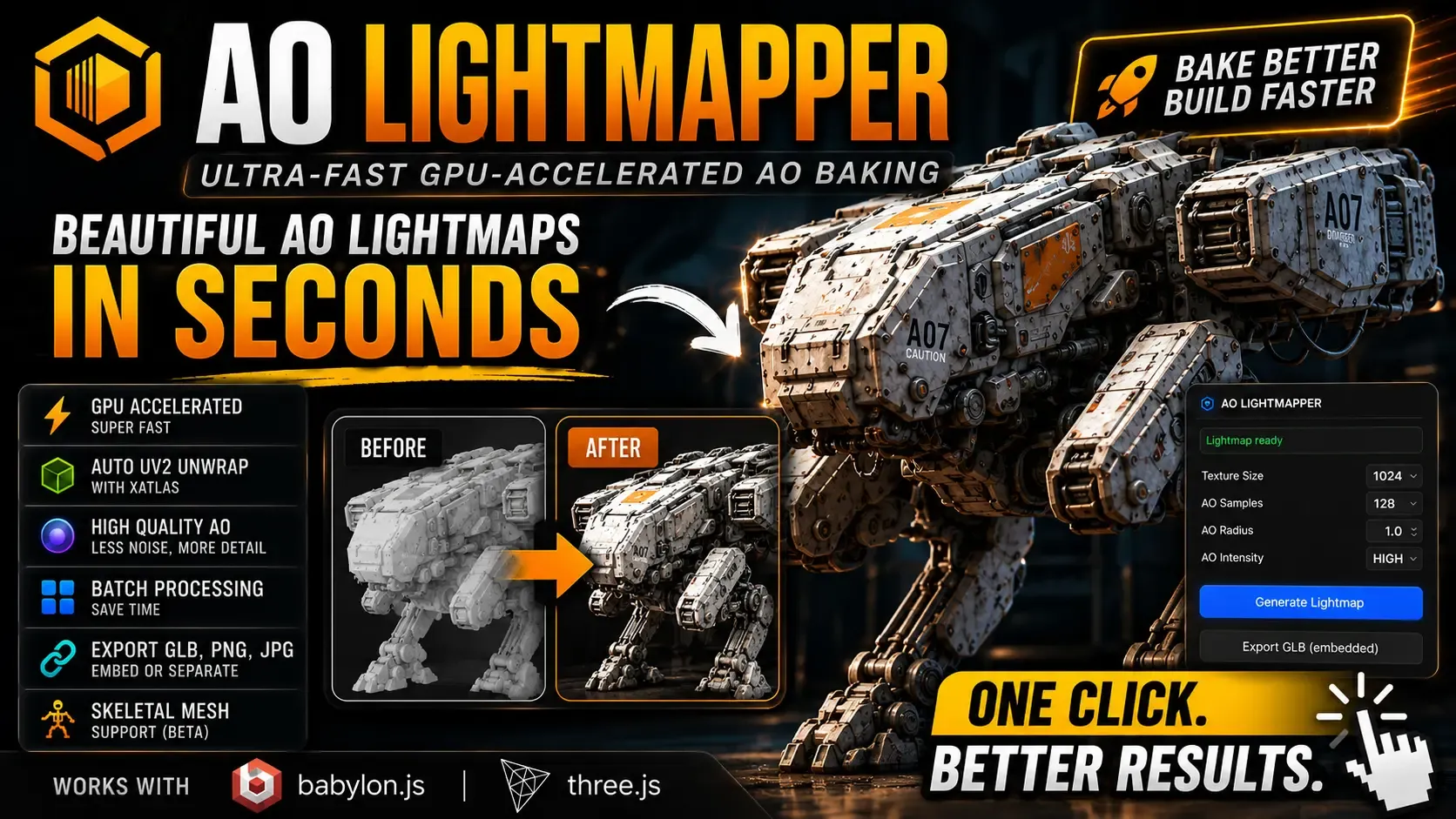
AO Lightmapper on itch.io — $5
Native Windows application that accelerates Ambient Occlusion baking via GPU. Key features:
- GPU-accelerated: baking uses your graphics card, not just the CPU
- Auto UV2 unwrap with integrated Katlas: no need to prepare UVs manually
- High quality AO: less noise, more detail in generated maps
- Batch processing: process multiple models in a single operation
- Export GLB, PNG, JPG: lightmaps can be embedded in the GLB or exported separately
- Skeletal mesh support (beta)
- Compatible with babylon.js and three.js
Designed for developers and designers working with web 3D models who need lightmap quality without the overhead of a full DCC application.
Quick AO Lightmapper Baby — Chrome Extension
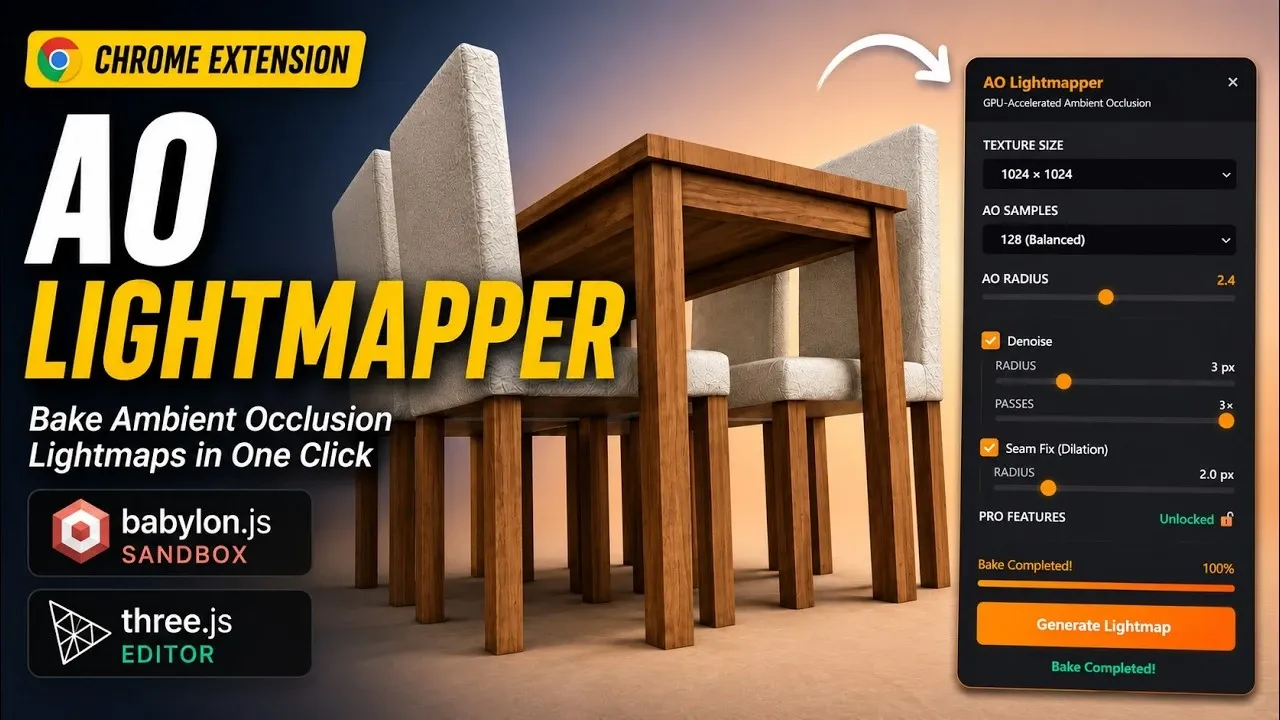
Quick AO Lightmapper on Chrome Web Store — $4
A Chrome extension that brings AO baking directly to the browser, integrated with the babylon.js sandbox and the three.js editor. You can bake ambient occlusion on 3D models while working in the browser, without leaving your development flow.
- Textures up to 4096x4096
- AO Samples, Radius, and Intensity configuration
- Integrated Denoise with radius and passes control
- Seam Fix (Dilation) to eliminate artifacts at UV edges
- One click → lightmap ready in seconds
For those prototyping in the babylon.js sandbox or experimenting with three.js, this extension eliminates the jump to external software.
Why $5 and $4 and not free
Quality lightmapping involves years of research, GPU implementation, and algorithm refinement. These tools are the result of that work.
The price — $5 for the desktop app, $4 for the extension — is deliberately low. This is not a marketing strategy: it is the philosophy behind the project. These tools exist so that any independent developer, designer, or enthusiast can produce professional-quality results without financial barriers. Sales fund the continued development of new features and tools.
When to use each tool
| Situation | Recommended tool |
|---|---|
| Windows workflow, GLB models | AO Lightmapper (desktop) |
| Development in babylon.js sandbox | Quick AO Lightmapper (Chrome) |
| Prototyping in three.js editor | Quick AO Lightmapper (Chrome) |
| Batch processing multiple assets | AO Lightmapper (desktop) |
| Skeletal meshes | AO Lightmapper (desktop, beta) |
Lightmapping is not a secondary technique or a finishing detail. It is the foundation on which the visual credibility of any real-time 3D project rests. Mastering it — or having the right tools to apply it — is what separates projects that impress from those that merely work.
Working with 3D models for web, video games, or visualization? Try the tools and let us know what kind of projects you are building.